
Elefteriou Orthocenter Construction Demo
Loading the math board and drawing, please wait…
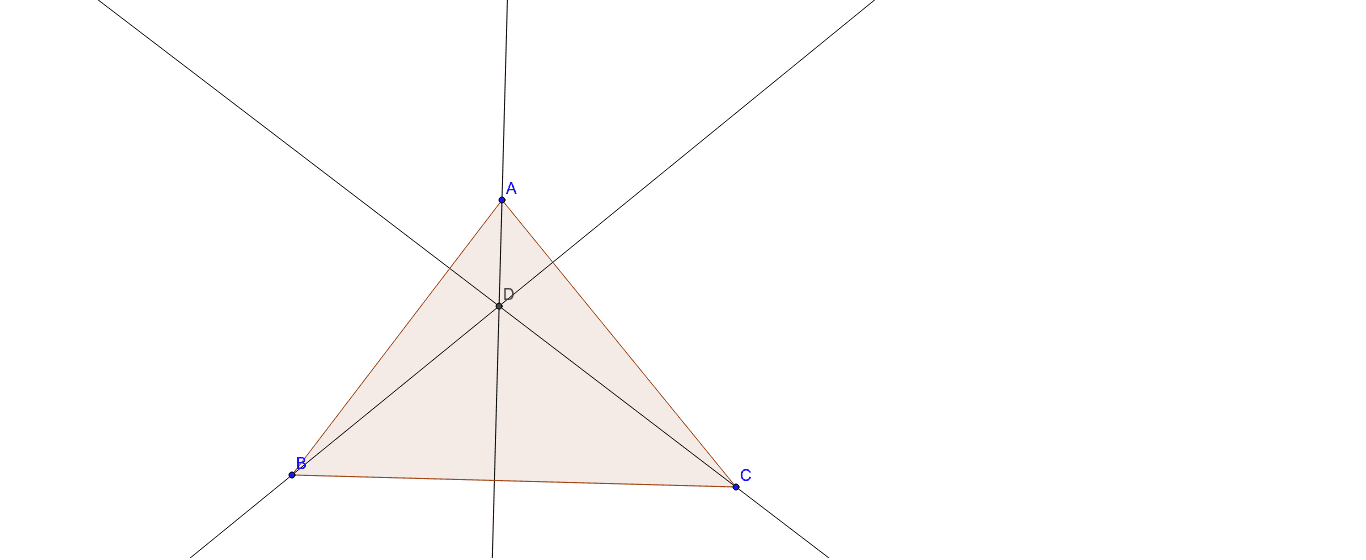
① This example shows how to construct the orthocenter of a triangle in GeoGebra and visualizes its geometric relations with the vertices and sides. ② Core concepts include triangle, orthocenter, altitudes, perpendicular lines, intersection points, and the perpendicular condition in coordinate geometry. ③ Construction steps: create triangle poly1 with Polygon; draw altitudes through vertices A, B, C using OrthogonalLine (objects a, b, c); find their common intersection D with Intersect; also generate segments d, e, f for observation. ④ Suitable for high‑school geometry lessons, geometric construction practice, and introductory analytic geometry at university level.
GeoGebra Commands & Parameters
Polygon(A, B, C) → poly1, c, a, bOrthogonalLine(A, a) → dOrthogonalLine(B, b) → eOrthogonalLine(C, c) → fIntersect(d, e) → D
AI Drawing Prompt Reference
Create a triangle and draw the three altitudes from each vertex to the opposite side; these altitudes intersect at a single point known as the orthocenter. Also draw the three altitude segments for observation. This construction illustrates the relationships among the triangle, its orthocenter, altitudes, perpendicular lines, and intersection points, making it suitable for high‑school geometry lessons and introductory analytic geometry at the university level.
The prompt above was compiled from the original drawing commands and is for reference only.