
Elastic Collisions Simulation
Loading the math board and drawing, please wait…
In collections
Physics Lab
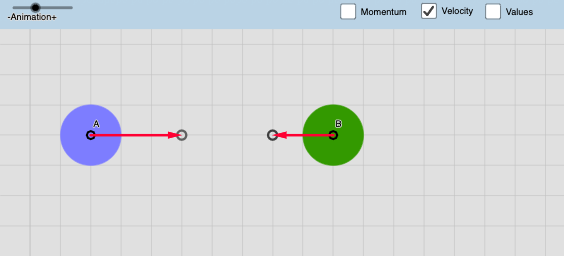
This example demonstrates the elastic collision of two objects in a 2D plane. It involves core mathematical concepts like vector operations, conservation of momentum and energy, and coordinate geometry. Construction highlights include using GeoGebra commands and objects such as If, Vector, Circle, Translate, Textfield, Ray, and Intersect for position, velocity vector calculations, and collision detection. Suitable for high school physics and mathematics courses to understand collision principles and mathematical modeling.
GeoGebra Commands & Parameters
If(abs((d * sin(γxy - γv))) ≤ m1 / 2 + m2 / 2, true, false) → conditionIf(condition ≟ true, asin((d * sin(γxy - γv) / (m1 / 2 + m2 / 2))), 10) → αIf(a ≟ a, a, 10) → a'Vector(C) → u1Vector(C') → u2Vector(D) → v1Vector(D') → v2Circle(AM, m1 / 2) → c1Circle(BM, m2 / 2) → c2If(Distance[AM, BM] > m1 / 2 + m2 / 2, false, true) → collisionIf(collision ≟ true, u2, u1) → auxv1If(collision ≟ true, v2, v1) → auxv2Circle(E, m1 / 2) → d1Circle(F, m2 / 2) → d2If(time2 ≟ time2, abs(time2), 30) → auxtimeVector(A, I) → uVector(B, J) → vTranslate(u1, AM) → u3Translate(v1, BM) → v3Translate(u2, E) → u4Translate(v2, F) → v4Translate(A, u3) → A'Translate(B, v3) → B'Translate(mt1i, AM) → c1iTranslate(mt1f, E) → c1fTranslate(mt2i, BM) → d1iTranslate(mt2f, F) → d1fIf(t > auxtime, Pxf, Pxi) → PxIf(t > auxtime, Pyf, Pyi) → PyIf(t > auxtime, PPxf, PPxi) → PPxIf(t > auxtime, PPyf, PPyi) → PPyTextfield(step) → InputBox1Textfield(vx1) → InputBox2Textfield(vy1) → InputBox3Textfield(vx2) → InputBox4Textfield(vy2) → InputBox5Textfield(m1) → InputBox6Textfield(m2) → InputBox7Circle(A, abs(u1)) → circle1Ray(A, u1) → LineACircle(B, abs(v1)) → circle2Ray(B, v1) → LineBIntersect(circle1, LineA) → InterA,Intersect(circle2, LineB) → InterB,
AI Drawing Prompt Reference
Create a simulation of elastic collisions between two objects in a 2D plane. Start by defining the initial positions and velocity vectors of the objects, then use vectors and circles to represent the objects. Next, use collision detection to determine if a collision occurs, and adjust the velocity vectors if a collision happens. Finally, update the positions of the objects based on time changes and display input fields for velocity and mass before and after the collision.
The prompt above was compiled from the original drawing commands and is for reference only.