
Effect of Enlargement on Area
Loading the math board and drawing, please wait…
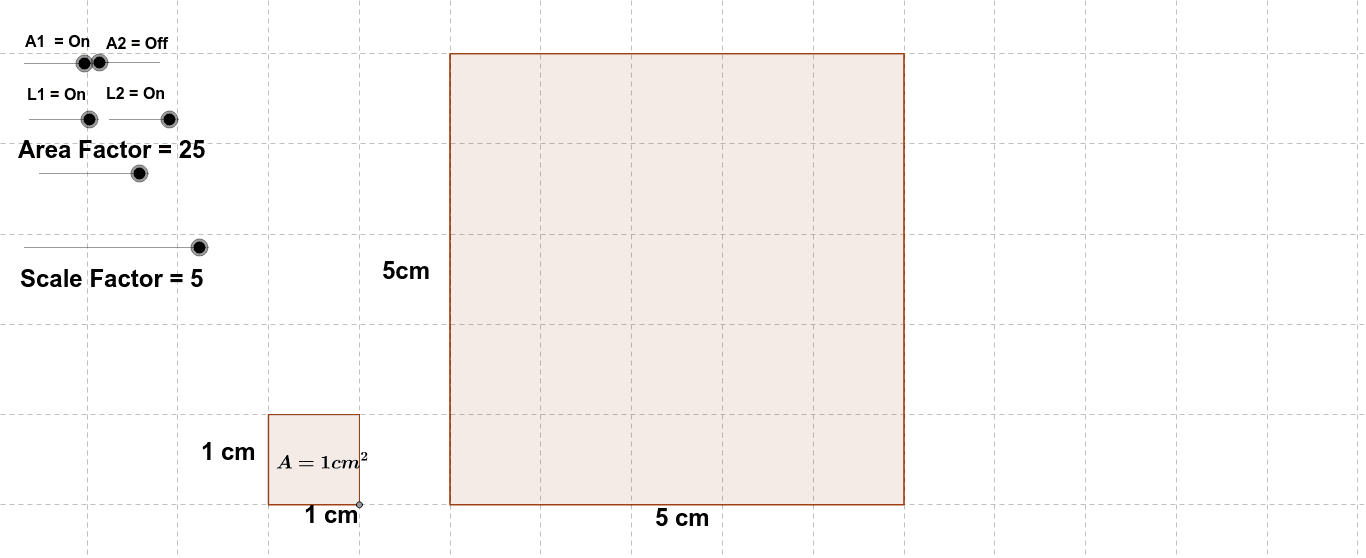
This example demonstrates the effect of enlargement on the area of shapes. Key mathematical concepts include area calculation and geometric transformations. Using GeoGebra commands such as Intersect, Point, Distance, and Polygon, one can observe the relationship between the enlargement factor and the area of the shape. Suitable for middle school and above students to learn about geometric transformations and area calculations.
GeoGebra Commands & Parameters
Intersect(xAxis, yAxis) → APoint(xAxis) → BDistance(A, B) → distanceABPolygon(A, B, 4) → poly1, a, b, c, d, C, DPolygon(E, F, 4) → poly2, e, f, g, h, G, HDistance(E, F) → distanceEF
AI Drawing Prompt Reference
Draw a coordinate system, take a point on the x-axis and a point on the y-axis, connect these two points to form a line segment, draw a square with this line segment as one side, and then draw a larger square with the extended line segment as one side, comparing the relationship between the areas and corresponding side lengths of the two squares to demonstrate the effect of enlargement.
The prompt above was compiled from the original drawing commands and is for reference only.