
Dynamic Triangle Area: Change Apex, Height, Base
Loading the math board and drawing, please wait…
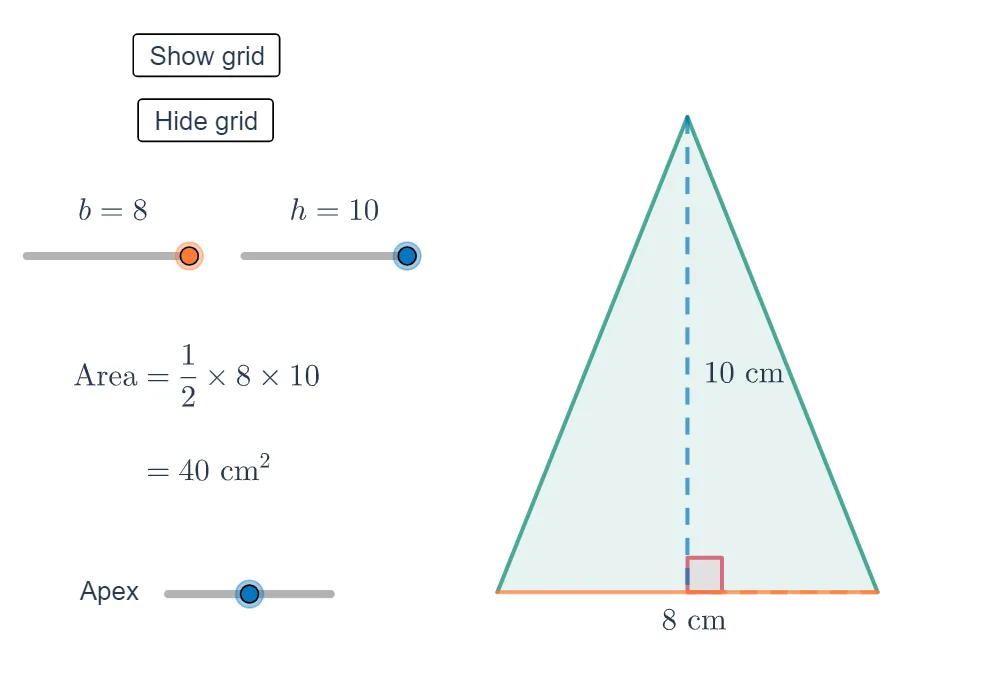
① This GeoGebra example demonstrates how the area of a triangle changes dynamically as the apex, height, and base are varied. ② The core mathematical concept is the triangle area formula A = 1/2 × base × height, highlighting the linear dependence of area on base and height, along with geometric relationships involving perpendiculars and angles. ③ Construction details: uses Intersect to create intersection points, Polygon to form the triangle, Segment for base and height, and Angle to mark relevant angles; objects include vertices A, B, C, height h, base b, area t1, buttons button1/button2 for animation/reset, and text objects text1-text8 for labels and values. ④ Suitable for middle school to high school students learning the triangle area formula, and useful for classroom demonstrations or self-exploration, allowing students to drag vertices to observe how area changes.
GeoGebra Commands & Parameters
Intersect(xAxis, yAxis) → APolygon(A, B, C) → t1, c, a, b_1Segment(B, D) → fAngle(C, D, B) → αIntersect(f, xAxis) → ESegment(C, E) → gSegment(A, D) → iAngle(A, D, B) → β