
Dynamic Translation Demo
Loading the math board and drawing, please wait…
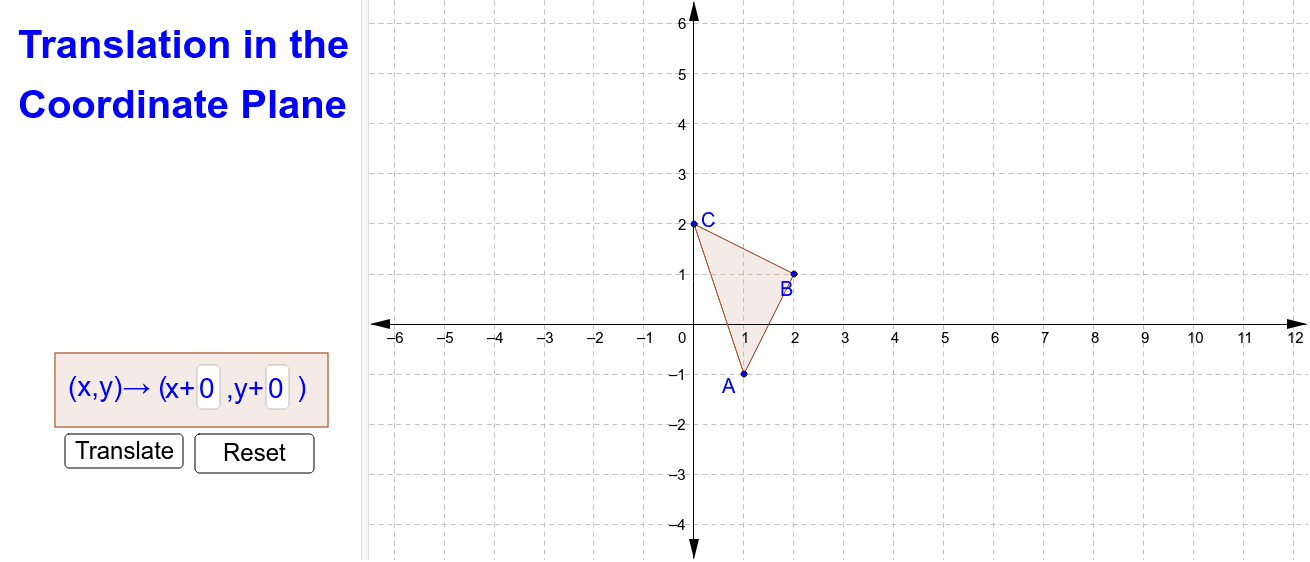
This example dynamically demonstrates the transformation of a polygon under translation. It involves core math concepts like translation, vector, coordinate geometry, and geometric transformations. Key GeoGebra commands used include Polygon, Translate, and Vector, with sliders to control translation parameters for an interactive understanding of transformation properties, suitable for high school mathematics education.
GeoGebra Commands & Parameters
Polygon(A, B, C) → poly1, c, a, bTextfield(tx) → inputBox1Textfield(ty) → inputBox2Translate(A, (tx, ty)) → A''Translate(B, (tx, ty)) → B''Translate(C, (tx, ty)) → C''Polygon(D, E, F, G) → poly2, d, e, f, gSegment(A, A'') → hSegment(B, B'') → iSegment(C, C'') → jPoint(h) → A'_1Point(i) → B'_1Point(j) → C'_1Vector(A, A'_1) → uVector(B, B'_1) → vVector(C, C'_1) → wPolygon(A', B', C') → poly3, c', a', b'
AI Drawing Prompt Reference
Draw a polygon and show its effect after translation by a vector. Use two sliders to control the translation's x and y coordinates. Connect each vertex of the original polygon to its translated counterpart with line segments, and label them. Then, draw a new polygon using these line segments as sides. Finally, draw vectors from each vertex of the original polygon to the midpoint of the corresponding line segment and label them.
The prompt above was compiled from the original drawing commands and is for reference only.