
Dynamic Geometry: Exploring Geometric Shapes and Trigonometric Functions
Loading the math board and drawing, please wait…
In collections
Complex Math
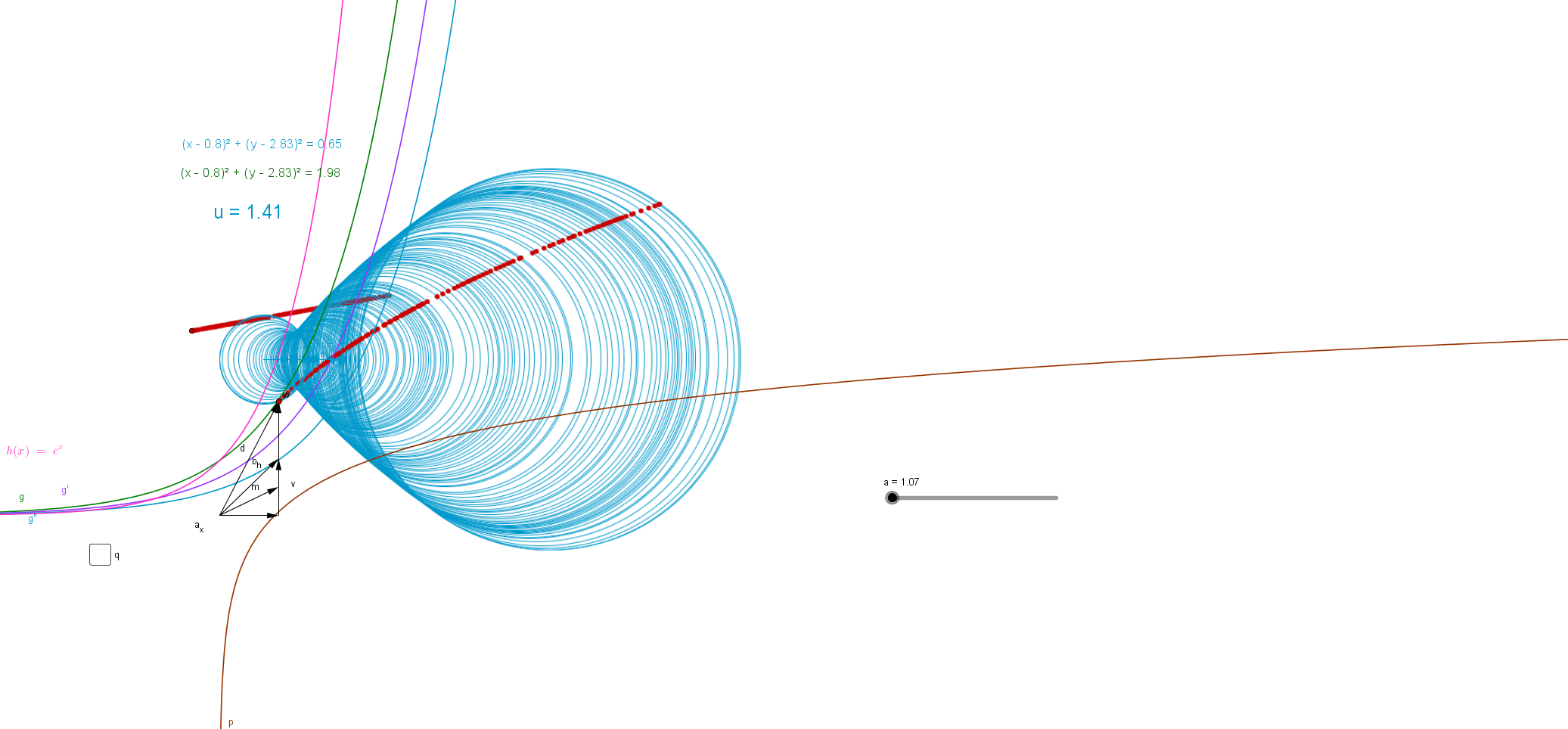
This example demonstrates how to observe geometric shapes through dynamic geometry tools. Key mathematical concepts include trigonometry, circles, and vectors. Construction involves using GeoGebra commands like Vector, Circle, and Intersect. Suitable for high school students or math enthusiasts to understand the relationship between geometry and trigonometry.
GeoGebra Commands & Parameters
Vector((a, 0)) → a_xVector((a, 0), (a, b)) → vVector((a, 0), (a, (2 * b))) → wVector((0, 0), (a, (2 * b))) → dVector((0, 0), (a, b)) → b_hVector((0, 0), (a, b / 2)) → mPoint(w) → BVector((a - (a * 0.25), 8^(0.5)), (a + 1.14, 8^(0.5))) → uPoint(u) → APoint(u) → CCircle(C, A) → qCircle(C, B) → fDistance(C, A) → distanceCAVector((a, 0), (a, (3 * b))) → iTextfield(a) → InputBox1Point(m) → LPoint(i) → MPoint(h) → NPoint(f) → ESegment(E, N) → jSegment(O, N) → lSegment(E, B) → nSegment(M, N) → sPoint(k) → PSegment(M, A) → tSegment(A, P) → a_1Vector((o, 0)) → u_1Vector((0, o)) → v_1Vector((o, 0), (0, o)) → w_1Point(u_1) → RPoint(a_x) → QSegment(R, Q) → c_1Segment(O, R) → d_1Segment(O, Q) → e_1Intersect(f, j, 1) → HPoint(v) → SPoint(h) → TPoint(p) → USegment(T, U) → k_1Point(q) → VSegment(S, V) → j_1Point(j_1) → A_1Point(j_1) → WPoint(b_h) → ZSegment(Z, W) → l_1Segment(A_1, Z) → m_1Intersect(h, j, (1.5461331510122753, 4.693286817704803)) → C_1Point(h) → B_1Textfield(B_1) → InputBox2Point(Circle[C_1, 1]) → D_1Segment(C_1, D_1) → n_1Point(h) → E_1Distance(B_1, D_1) → distanceB1D1Point(j) → F_1Line(F_1, j) → p_1Point(p_1) → G_1Point(p_1) → H_1Segment(H_1, G_1) → q_1Point(Circle[I_1, 1.82]) → J_1Segment(I_1, J_1) → r_1
AI Drawing Prompt Reference
This is a dynamic geometry figure that demonstrates observing geometric shapes through vectors, circles, and intersections. Key objects include points, vectors, circles, and line segments. The construction order starts from basic points, then draws vectors, creates circles and line segments, and finally determines relationships through intersections. The figure involves trigonometric functions and circle properties, suitable for math enthusiasts to understand the connection between geometry and triangles.
The prompt above was compiled from the original drawing commands and is for reference only.