
Dynamic Coordinates and Derivatives Demo
Loading the math board and drawing, please wait…
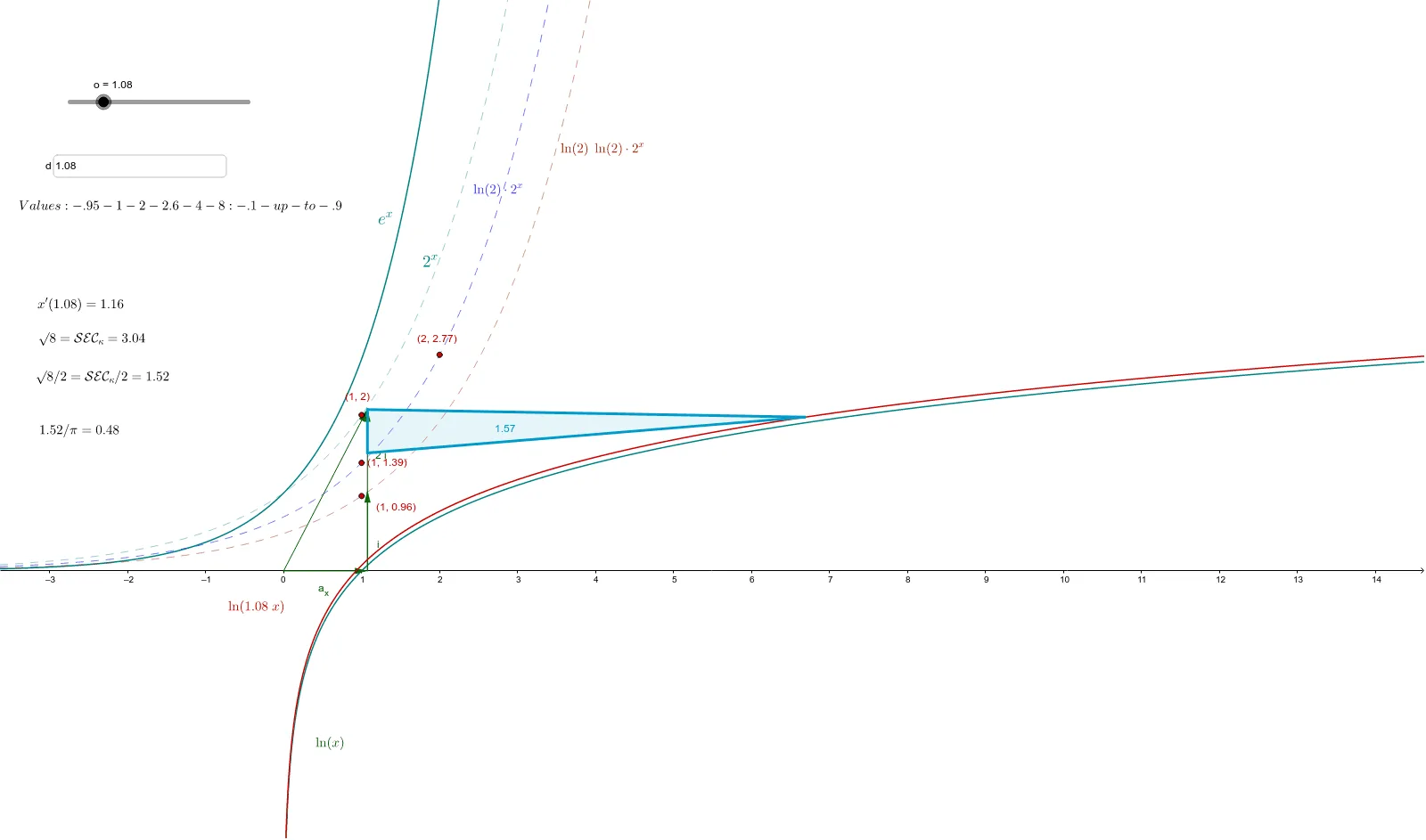
This example demonstrates how to dynamically visualize the relationship between geometric shapes and the function 2^x and its derivatives using GeoGebra, marked by the ln(x'(xo)) function. Core math concepts include functions, derivatives, coordinate geometry, and dynamic coordinates. Construction highlights from the summary involve commands like DynamicCoordinates, OrthogonalLine, Point, Vector, etc. Suitable for high school and above students to understand the application of derivatives in geometry.
GeoGebra Commands & Parameters
DynamicCoordinates((1.16, 0), 2, 2) → y'OrthogonalLine(A, xAxis) → bPoint(b) → FVector(F, A) → uVector((o, 0)) → a_xVector((o, 0), (o, c)) → iVector((o, 0), (o, (3 * c))) → qVector((0, 0), (o, (2 * c))) → d_hTextfield(o) → InputBox1Point(a_x) → BSegment(B, A) → tPoint(d_h) → CSegment(C, A) → o_1Segment(B, F) → mVector((o, 0), (o, (2 * c))) → pSegment(E, A) → sec_κPoint(h) → GPoint(i) → KPoint(h) → MPoint(p) → OPoint(p) → NPolygon(M, N, O) → poly1, o_2, m_1, n_1
AI Drawing Prompt Reference
Draw the dynamic graph of the function 2^x and its first derivative. Start by showing the function value at point (1.16,0) dynamically, then draw the tangent line at that point. Next, draw the normal line and take point F on it. Construct vectors for the tangent and normal lines, then draw a vertical and horizontal line through the x-axis. Take point B on the x-axis and connect it to A. Take point C on the y-axis and connect it to A. Draw a line from B to F, then draw a horizontal line through A. Finally, take points G, K, M, O, and N on the y-axis and construct a triangle with M, N, and O.
The prompt above was compiled from the original drawing commands and is for reference only.