
Drawing Histograms: Interactive Teaching Demo for Grouped Data
Loading the math board and drawing, please wait…
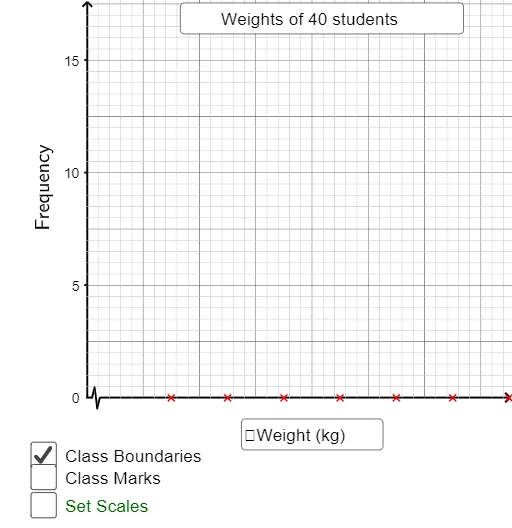
① This GeoGebra applet demonstrates how to draw a histogram for grouped data, serving as a visual teaching tool for instructors. ② Core mathematical concepts include data grouping, frequency distribution, rectangular bars representing class intervals, and axis scaling. ③ Construction highlights: based on the summary, it uses commands such as If, Point, Polygon, PolyLine, Sequence, Textfield, and RotateText, with numerous point objects (e.g., A1, B2, C2) and variables (unitx, k) to build histogram bars via polygons and polylines, and to add labels using text fields and rotated text. ④ Suitable for middle school statistics lessons, teacher demonstrations, or student self-exploration of histogram construction.
GeoGebra Commands & Parameters
If(C2 - A2 > 0, C2 - A2 + A3 - C2, 5) → kPoint(Ray[((1.5 * k), 0), ((1.5 * k), 1)]) → Q1Point(Ray[((2.5 * k), 0), ((2.5 * k), 1)]) → Q2Point(Ray[((3.5 * k), 0), ((3.5 * k), 1)]) → Q3Point(Ray[((4.5 * k), 0), ((4.5 * k), 1)]) → Q4Point(Ray[((5.5 * k), 0), ((5.5 * k), 1)]) → Q5Point(Ray[((6.5 * k), 0), ((6.5 * k), 1)]) → Q6Point(Ray[((7.5 * k), 0), ((7.5 * k), 1)]) → Q7Point(Ray[((8.5 * k), 0), ((8.5 * k), 1)]) → Q8Point(Ray[((9.5 * k), 0), ((9.5 * k), 1)]) → Q9Point(Ray[((10.5 * k), 0), ((10.5 * k), 1)]) → Q10Polygon((unitx, 0.3), (unitx, -0.3), ((2.5 * unitx), -0.3), ((2.5 * unitx), 0.3)) → poly1, a, b, c, dPolyLine((unitx, 0), ((1.5 * unitx), h), ((2 * unitx), (-h)), ((2.5 * unitx), 0)) → eSequence(Segment[(xmin + (xint2 * i), ymax), (xmin + (xint2 * i), ymin)], i, 1, (xmax - xmin) / xint2) → list3Sequence(Segment[(xmin, ymin + (yint2 * i)), (xmax, ymin + (yint2 * i))], i, 1, (ymax - ymin) / yint2) → list4Sequence(Sequence[Segment[((xint2 * (j - 1)) + (xint1 * i), ymax), ((xint2 * (j - 1)) + (xint1 * i), ymin)], i, 1, 4], j, 1, ceil(xmax / xint2)) → list5Sequence(Sequence[Segment[(xmin, ((j - 1) * yint2) + (yint1 * i)), (xmax, ((j - 1) * yint2) + (yint1 * i))], i, 1, 4], j, 1, ceil(ymax / yint2)) → list6Textfield(text23) → inputBox2Textfield(text24) → inputBox4Textfield(yint1') → inputBox1Textfield(xint1') → inputBox3RotateText("Frequency", 90°) → text12
AI Drawing Prompt Reference
Create a coordinate diagram for teaching grouped-data histograms. Using horizontal and vertical scale parameters, place multiple vertical boundary points to mark successive class intervals, then form a series of histogram bars as rectangles: each bar is outlined by four corner points, with height determined by the current class frequency. Add a highlighted polyline shape over the bars to emphasize the constructed outline. Include background reference lines by generating evenly spaced segmented lines along both the horizontal and vertical directions, creating a grid-like support. Finally, add a vertical label reading “Frequency” and include editable input boxes near the figure for adjusting scale or grouping parameters.
The prompt above was compiled from the original drawing commands and is for reference only.