
Drawing and Interacting with Circles and Ellipses
Loading the math board and drawing, please wait…
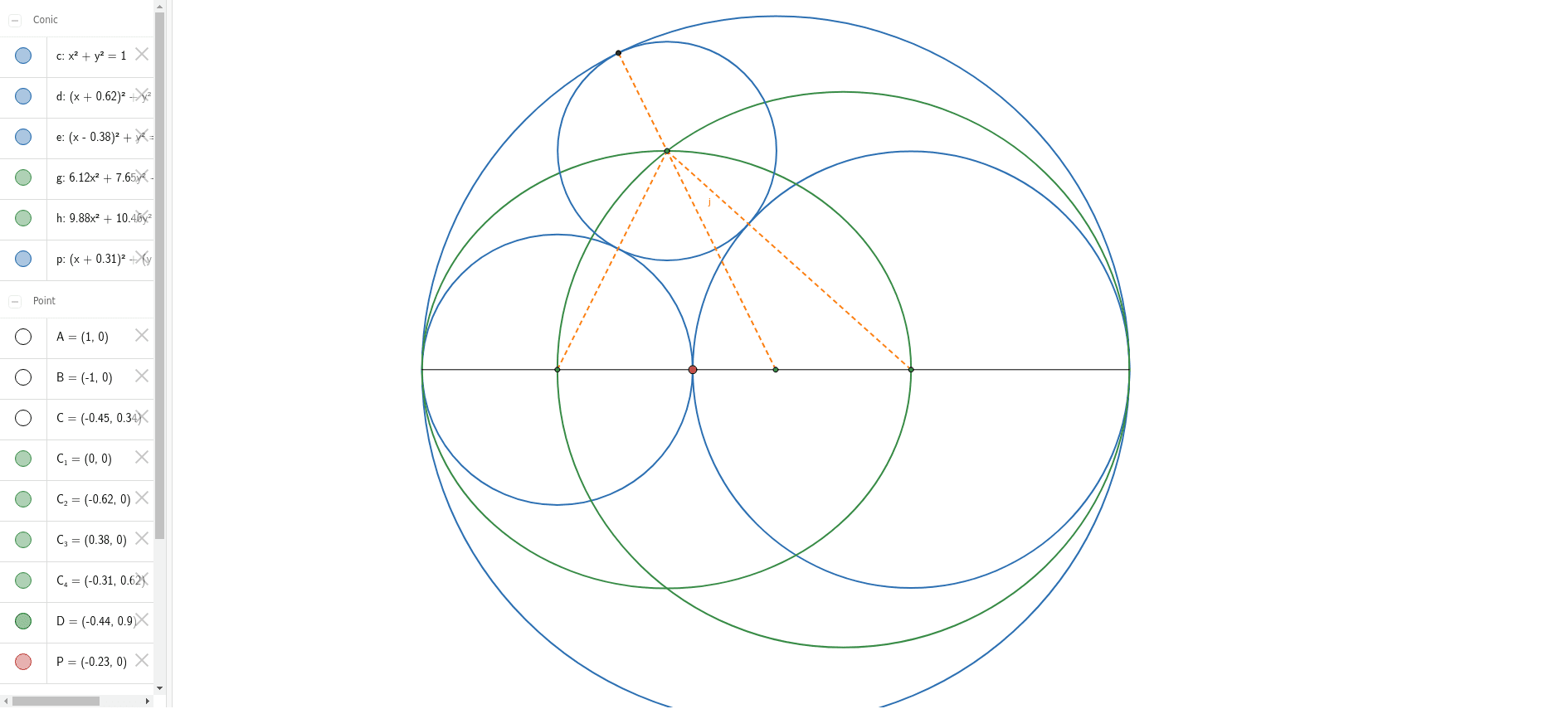
This example demonstrates the drawing methods and interactive properties of circles and ellipses. It involves core mathematical concepts such as the definitions of circles and ellipses, geometric elements like midpoints, segments, and intersection points, as well as the application of analytical geometry. Key GeoGebra commands used in the construction include Intersect, Circle, Segment, Point, Midpoint, and Ellipse. It is suitable for high school students to learn and understand the properties and relationships of plane geometric figures, as well as for mathematical teaching demonstrations.
GeoGebra Commands & Parameters
Intersect(xAxis, yAxis) → C_1Circle(C_1, 1) → cIntersect(c, xAxis, 2) → AIntersect(c, xAxis, 1) → BSegment(B, A) → fPoint(f) → PMidpoint(B, P) → C_2Midpoint(P, A) → C_3Circle(C_2, P) → dCircle(C_3, P) → eEllipse(C_2, C_1, B) → gEllipse(C_3, C_1, A) → hIntersect(g, h, 2) → C_4Segment(C_2, C_4) → iSegment(C_3, C_4) → kIntersect(d, i, 1) → CCircle(C_4, C) → pIntersect(c, p, 1) → DSegment(C_1, D) → j