
Draw Number Line and Represent Fractions
Loading the math board and drawing, please wait…
In collections
Zahlenstrahl und Ordnen von Brüchen
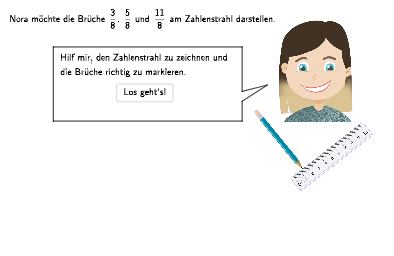
This example demonstrates how to represent fractions on a number line. Key mathematical concepts include the relative position and size of fractions. GeoGebra commands used include Polygon, Sequence, Point, Segment, Circle, etc. Suitable for students in grades 5-6 to learn about fractions and their representation.
GeoGebra Commands & Parameters
Polygon((1, Höhe - 0.15), (13.5, Höhe - 0.15), (13.5, Höhe + 0.15), (1, Höhe + 0.15)) → V1, h, i, j, kSequence(SAnfang + (i * (0.5, 0)), i, 6, 20) → listSPos05Point(listSPos05) → SSegment((4, Höhe), (11, Höhe)) → fPolygon(Sp_1, Sp_2, Sp_3, Sp_4, Sp_5, Sp_6, Sp_7) → Sprechblase, sp_1, sp_2, sp_3, sp_4, sp_5, sp_6, sp_7Segment(SAnfang, S) → sSegment((1, Höhe), (längeZS, Höhe)) → ZSNeuSequence(Segment[(i, Höhe - 0.1), (i, Höhe + 0.1)], i, 1, längeZS, 0.5) → Unterteilung4Segment((13, Höhe), (13.5, Höhe)) → sEndeCircle((If[correct4, 2.5, If[correct8, 4]], 5), 0.25) → KA1B1Circle((If[correct4, 3.5, If[correct8, 6]], 5), 0.25) → KA1B2Circle((If[correct4, 6.5, If[correct8, 12]], 5), 0.25) → KA1B3Circle((If[correct4, 4, If[correct8, 7]], 5), 0.25) → KA2B1Circle((If[correct4, 3, If[correct8, 5]], 5), 0.25) → KA2B2Circle((If[correct4, 3.5, If[correct8, 6]], 5), 0.25) → KA2B3Segment((1, Höhe), (0.2, Höhe)) → gSequence(Segment[(i, Höhe - 0.1), (i, Höhe + 0.1)], i, 1, längeZS + 0.5) → Unterteilung8SpeechBubbleRight(A, 7, 1) → Vieleck1SpeechBubbleRight(B, 9.7, 1.7) → Vieleck2
AI Drawing Prompt Reference
Draw a horizontal number line from 1 to 13.5 with tick marks at every 0.5 unit. Place a rectangular frame above the line, and inside it draw a bold segment from 4 to 11 to highlight a fraction interval. Add a speech bubble pointing to a specific point on the line, containing several small circles to represent fraction values. Below the line, draw vertical tick marks at 0.5 intervals extending to 14. Extend the line at both ends with short segments. Above the line, place three small circles at different positions to indicate fraction points. Ensure the layout clearly shows the relative positions of fractions on the number line.
The prompt above was compiled from the original drawing commands and is for reference only.