
Draw a Line Through Two Points: Practice and Formative Check
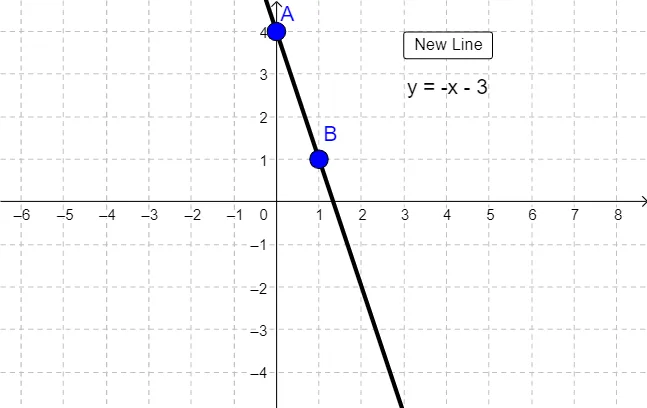
Loading the math board and drawing, please wait…
This example demonstrates how to plot a line on the coordinate plane by locating two points, then uses a formative assessment style interaction to help learners practice accurate graphing. The key mathematical ideas are the equation of a line, the meaning of a linear function’s graph, and coordinate geometry’s fact that two distinct points determine a unique line. Construction-wise, the GeoGebra setup relies on the Line command to create the line object, driven by selected point objects such as a, A, and B. The interaction components button1 and text1/text2 provide guided prompts and feedback during the two-point selection process. It is well suited for middle-school algebra and early coordinate-geometry lessons, as well as classroom practice or self-checking homework.
GeoGebra Commands & Parameters
Line(A, B) → b
AI Drawing Prompt Reference
Draw a coordinate plane with axes and grid lines. Place two distinct points on the plane, clearly marked. Then draw a straight line that passes through both points, extending across the entire plane. The line should be the unique line determined by the two points, emphasizing the geometric fact that two points define a line. Keep the graphic clean and educational, suitable for middle-school algebra practice.
The prompt above was compiled from the original drawing commands and is for reference only.