
Drag Red Vertices to Calculate Triangle Area
Loading the math board and drawing, please wait…
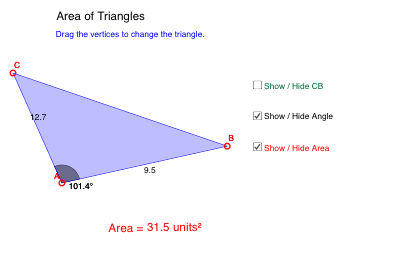
This example demonstrates how to calculate the area of a triangle by dragging the red vertices. It involves core math concepts like trigonometry and triangle area formulas. Construction highlights include using the Polygon command, calculating angles and sides, and employing midpoint and point-in-circle checks. Suitable for middle school and above students to practice trigonometric applications.
GeoGebra Commands & Parameters
Polygon(A, B, C) → poly1, c, a, bAngle(B, A, C) → αMidpoint(b) → DMidpoint(c) → EMidpoint(a) → FPointIn(poly1) → Pointpoly1
AI Drawing Prompt Reference
Draw a triangle with draggable red vertices. Calculate and display the area of the triangle using trigonometry and area formulas. Show the midpoints of the three sides and calculate the size of one angle. Place a point inside the triangle and display the relationships between these elements.
The prompt above was compiled from the original drawing commands and is for reference only.