
Double Pendulum
Loading the math board and drawing, please wait…
In collections
The Domain of the Time (intuitive kinematics)
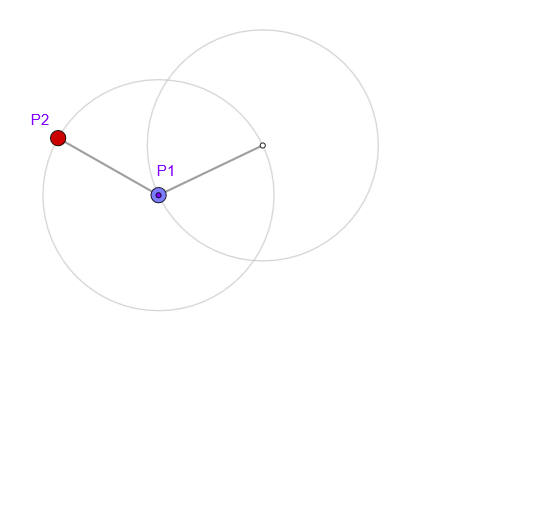
This example demonstrates the motion of a double pendulum and exhibits chaotic behavior. Key mathematical concepts include vectors, trajectories, and animations. Using commands such as Circle, Arc, Point, Segment, UnitOrthogonalVector, and PolyLine, the motion of the double pendulum can be constructed. Suitable for high school physics and mathematics education, as well as beginners interested in chaos theory.
GeoGebra Commands & Parameters
Circle(O, l) → c1Arc(c1, Point[c1, 0.76389], Point[c1, 0.25]) → arc1Point(arc1) → P1Point(c1) → M1Segment(O, M1) → r1UnitOrthogonalVector(r1) → n1Circle(M1, l) → c2Arc(c2, Point[c2, 0.76389], Point[c2, 0.25]) → arc2Point(arc2) → P2Point(c2) → M2Segment(M1, M2) → r2UnitOrthogonalVector(r2) → n2PolyLine(reg) → pol
AI Drawing Prompt Reference
Draw a double pendulum graph. The graph consists of two swinging arms, each connected to a point. The first arm starts from the origin, and the second arm starts from the end of the first arm. The arms are connected through a connecting point. The graph includes two arcs and a polyline to represent the swinging paths. The construction order is to draw the first arc, then the second arc, connect the endpoints of the arcs, and finally draw the polyline.
The prompt above was compiled from the original drawing commands and is for reference only.