
Double Number Line
Loading the math board and drawing, please wait…
In collections
Percent Change App Collection
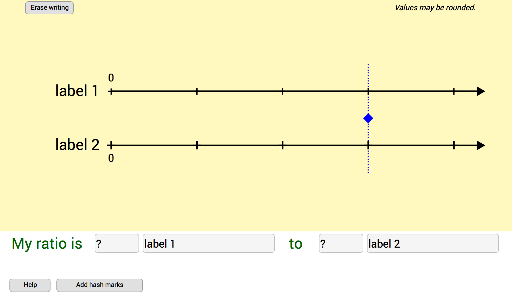
This example demonstrates how to create a double number line using ratios. It illustrates the representation and comparison of different quantities using ratios, percentages, and similarity transformations. Key math concepts include ratios, percentages, and similarity transformations. Construction highlights involve GeoGebra commands like If, Point, Segment, Textfield, Sequence, Text, Vector, Mirror, and objects such as q2, roundingFactorDNL2values, q2rnd, length, slidePt, q1, roundingFactorDNL1values, q1rnd, a, h, b, A, B, DNL2ArrowPt, DNL1ArrowPt, lineDNL1, lineDNL2, xOffSet, yOffSet, topxOffSet, q1labelForLengthAlwaysShow, q2labelForLengthAlwaysShow, q1blabelInput, q2blabelInput, E, F, G, H, q1avalueInput, q2avalueInput, myRatioIs, to, helpButton, helpCk, helpQ1value, helpQ1label, helpQ2label, helpQ2value, q2labelDNL. Suitable for middle school and above mathematics education, teaching concepts like ratios, percentages, and similarity transformations.
GeoGebra Commands & Parameters
If(q2 < 100, 100, If[q2 < 500, 10, 1]) → roundingFactorDNL2valuesIf((q2 ≥ 0) ∧ (q2 ≤ 0.1), 0.1, round((roundingFactorDNL2values * q2)) / roundingFactorDNL2values) → q2rndPoint(Segment[(0, 0.85), (4.3, 0.85)]) → slidePtIf(q1 < 100, 100, If[q1 < 500, 10, 1]) → roundingFactorDNL1valuesIf((q1 ≥ 0) ∧ (q1 ≤ 0.1), 0.1, If[q1 < 25, round((100 * q1)) / 100, If[q1 < 75, round((10 * q1)) / 10, If[q1 > 100, 100, round(q1)]]]) → q1rndSegment(A, DNL2ArrowPt) → lineDNL1Segment(B, DNL1ArrowPt) → lineDNL2Textfield(q1labelForLengthAlwaysShow) → q1blabelInputTextfield(q2labelForLengthAlwaysShow) → q2blabelInputTextfield(q1) → q1avalueInputTextfield(q2) → q2avalueInputSegment(slidePt + (0, 1.7), slidePt - (0, 1.75)) → slideSegSequence(((length * k), h), k, 0, 4) → hashMajorDNL2Sequence(((length * k), 0), k, 0, 4) → hashMajorDNL1Textfield(locationXq1) → locationXq1InputTextfield(locationXq2) → locationXq2InputSequence((k, 0), k, 0, 4.3, length / hatchMinor) → hashMinorDNL1Sequence((k, h), k, 0, 4.3, length / hatchMinor) → hashMinorDNL2Sequence(Text[(p * q2), ((length * p) + xOffSet, y(A) - (1.7 * yOffSet))], p, 2, 4) → hashMarkValuesTextDNL2Sequence(Text[(q * q1), ((length * q) + topxOffSet, y(B) + yOffSet)], q, 2, 4) → hashMarkValuesTextDNL1Text(0, (x(A) - 0.035, y(A) - (1.7 * yOffSet))) → zeroDNL2Text(0, (x(B) - 0.035, y(B) + yOffSet)) → zeroDNL1Vector(instructionsArrowsPt, (1.4187, -2.68926)) → instructionsArrow2_{legacy}Vector(instructionsArrowsPt, (0.28383, -2.65534)) → instructionsArrow1_{legacy}Mirror(instructionsArrow1_{legacy}, x = x(instructionsArrowsPt)) → instructionsArrow3_{legacy}Mirror(instructionsArrow2_{legacy}, x = x(instructionsArrowsPt)) → instructionsArrow4_{legacy}
AI Drawing Prompt Reference
Draw two parallel number lines to represent different ratios, mark values with scales on the axes, display values and ratios with text labels, and indicate directions and proportional relationships with arrows.
The prompt above was compiled from the original drawing commands and is for reference only.