
Dot Products of Plane Vectors by 17zhangw
Loading the math board and drawing, please wait…
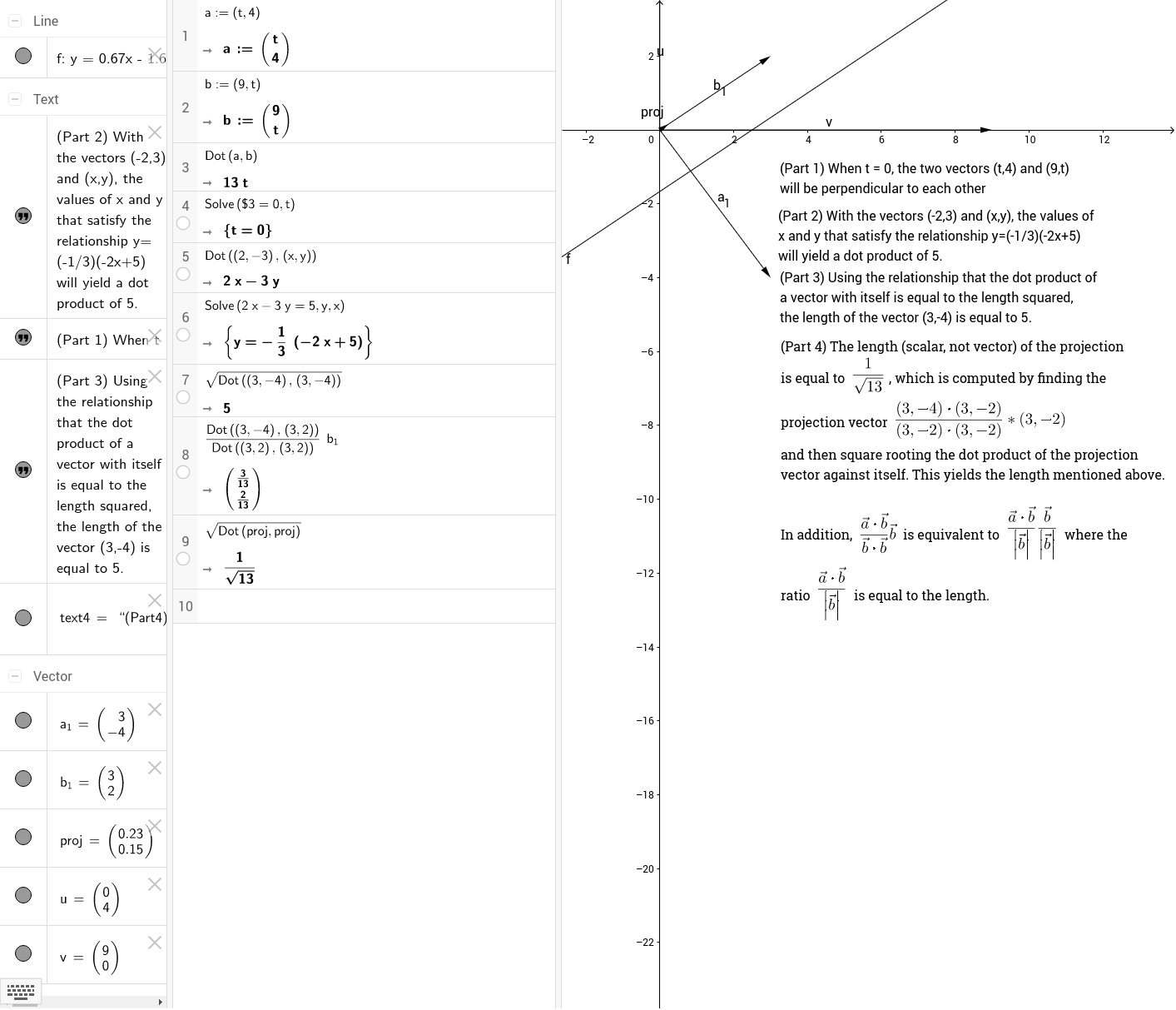
This example demonstrates the calculation and geometric interpretation of the dot product of two plane vectors. The core mathematical concepts involved include the definition and formula of the dot product, as well as its relationship with vector projection. The construction uses GeoGebra commands such as Vector to create vectors u and v, f for auxiliary calculations, text1, text2, text3 to display results and explanations, a_1, b_1 for vector components, proj for the projection, and text4 for labeling. It is suitable for high school mathematics teaching, helping students visually understand the geometric meaning and calculation method of vector dot products.
GeoGebra Commands & Parameters
Vector((0, 4)) → uVector((9, 0)) → v
AI Drawing Prompt Reference
Draw a 2D coordinate plane with two vectors starting from the origin: one pointing upward with length 4 units, and the other pointing right with length 9 units. Use different colors for the two vectors and label their endpoints. Show the dot product calculation by decomposing each vector into horizontal and vertical components, and display the numerical result. Also, draw the projection of one vector onto the other as a dashed segment, and label its length. Add text annotations explaining that the dot product equals the product of the projected length and the other vector's length. Keep the layout clear for classroom demonstration.
The prompt above was compiled from the original drawing commands and is for reference only.