
Discs
Loading the math board and drawing, please wait…
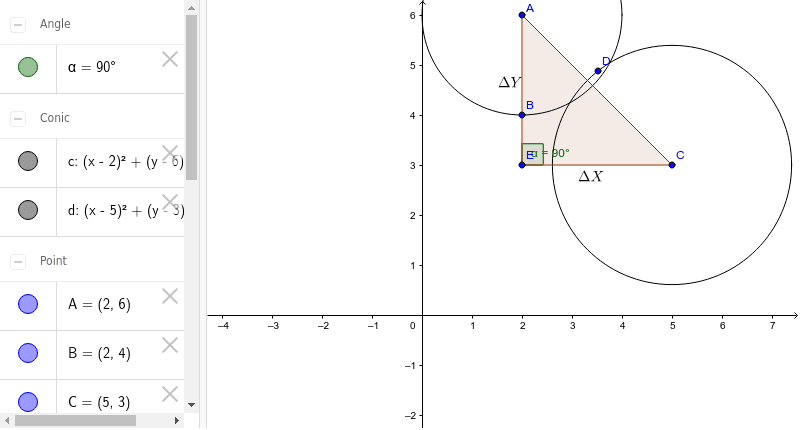
This example demonstrates how to draw discs using GeoGebra. The core mathematical concepts involved are the properties of circles. The Circle command is used to draw the discs, Polygon to draw polygons, and Angle to measure angles. Suitable for middle school and above students to learn about circle properties and geometric construction.
GeoGebra Commands & Parameters
Circle(A, B) → cCircle(C, D) → dPolygon(A, C, E) → veelhoek1, e, a, c_1Angle(C, E, A) → α
AI Drawing Prompt Reference
Draw two circles, one with diameter AB and the other with diameter CD. Then draw a triangle using points A, C, and E. Finally, measure the angle at point C.
The prompt above was compiled from the original drawing commands and is for reference only.