
Discovery of Acute, Right, and Obtuse Triangles
Loading the math board and drawing, please wait…
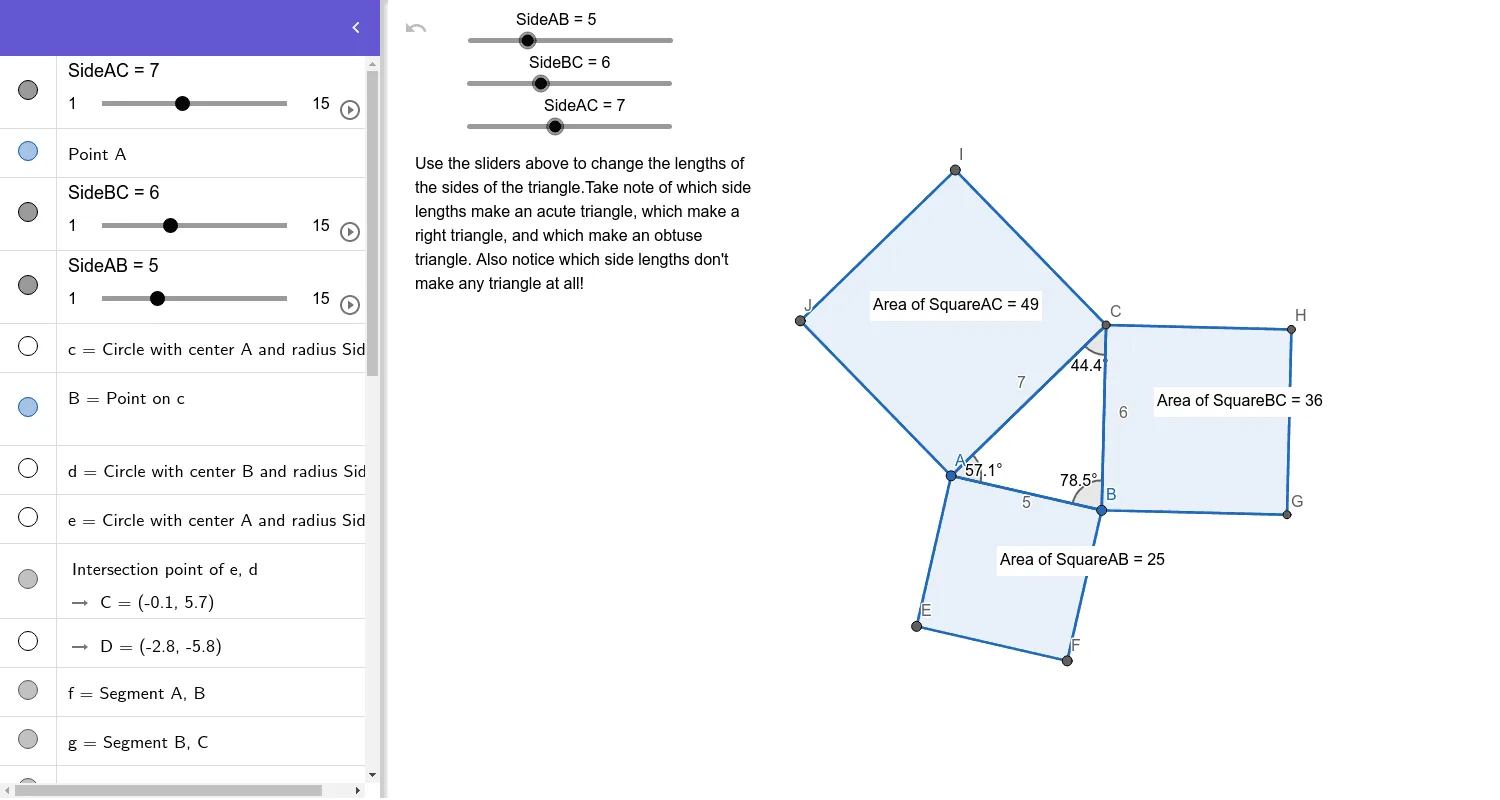
This GeoGebra example demonstrates how to construct and visually distinguish acute, right, and obtuse triangles within a single interactive geometric setup. Students explore how specific configurations arise from circle-based constructions and intersection points, then classify the resulting triangle by measuring its angles. Key concepts include triangle classification by interior angles (acute/right/obtuse), geometric construction workflows (points, circles, intersections), segment and polygon construction, and angle evaluation to verify whether a triangle contains a right angle or an obtuse angle. Construction highlights: it uses Circle to create circles, Point and Intersect to generate key points, Segment and Polygon to form triangle sides and the triangle itself, PointIn to identify points relative to regions, and Angle to measure and classify the triangle based on the relevant interior angle(s). The construction is organized around labeled side objects (SideAB, SideBC, SideAC) and auxiliary geometry such as square-like helpers (SquareAB, SquareBC, SquareAC) to support the investigation. Suitable for middle/high school geometry lessons, guided discovery activities, and dynamic-classroom demonstrations.
GeoGebra Commands & Parameters
Circle(A, SideAB) → cPoint(c) → BCircle(B, SideBC) → dCircle(A, SideAC) → eIntersect(e, d) → C, D, ,Segment(A, B) → fSegment(B, C) → gSegment(C, A) → hPolygon(B, A, 4) → SquareAB, i, j, k, l, E, FPolygon(C, B, 4) → SquareBC, m, n, p, q, G, HPolygon(A, C, 4) → SquareAC, r, s, t, a, I, JPointIn(SquareAC) → Pointpoly3PointIn(SquareAB) → Pointpoly1PointIn(SquareBC) → Pointpoly2Angle(C, A, B) → αAngle(A, B, C) → βAngle(B, C, A) → γ
AI Drawing Prompt Reference
Draw triangle ABC by first using point A and line segment AB to create circle c, then using point B and line segment BC to create circle d, and finally using point A and line segment AC to create circle e. The intersection of circle e and circle d gives point C. Then draw line segments AB, BC, and CA to form the triangle. Use square tools to create three squares around points A, B, and C, and measure and classify the triangle's angles α, β, and γ as acute, right, or obtuse.
The prompt above was compiled from the original drawing commands and is for reference only.