
Discovering the Area of a Triangle
Loading the math board and drawing, please wait…
In collections
Visual Geometry for Grade 9
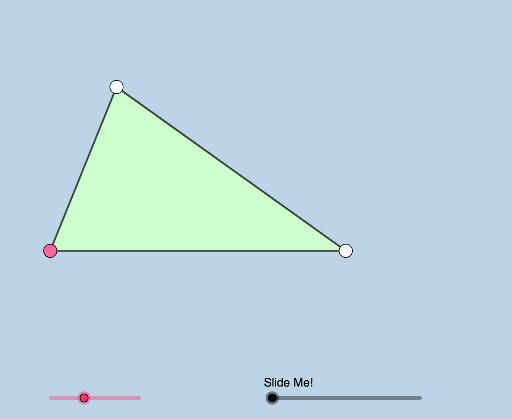
This example demonstrates how students can visually explore the derivation of the triangle area formula by moving the vertices of a triangle. Key math concepts include triangle area, rotation, limits, definite integral, etc. Construction highlights involve GeoGebra commands like Rotate, Angle, Point, Polygon, Circle, Intersect, Segment, Midpoint, Line, CircleSector, Dilate, Vector, and Translate. Suitable for middle school and above, aiding geometric intuition and formula comprehension.
GeoGebra Commands & Parameters
Rotate(A, (a * π / 180), B) → A'Angle(A, B, A') → αRay(B, A') → fPoint(f) → CPolygon(A, B, C) → t1, c, a_1, bCircle(B, (0.25 * Min[c, a_1])) → dCircle(C, 1) → eIntersect(e, f, 2) → DRay(C, D) → gSegment(A, B) → hSegment(C, B) → iSegment(C, A) → jMidpoint(j) → ELine(C, h) → kCircle(C, h) → pIntersect(p, k, 1) → FRay(A, F) → lRay(C, F) → mIntersect(d, h, 1) → GRotate(A, If[0 < n ≤ 1, (n * π), π], E) → A'_1Rotate(B, If[0 < n ≤ 1, (n * π), π], E) → B'Rotate(C, If[0 < n ≤ 1, (n * π), π], E) → C'Polygon(A'_1, B', C') → t1', c', a'_1, b'Segment(A'_1, C') → qSegment(C', B') → rSegment(B', A'_1) → sCircle(F, 1) → tIntersect(t, m, 2) → HIntersect(t, l, 2) → IRay(F, H) → f_1Ray(F, I) → g_1Rotate(G, If[1 < n ≤ 2, (((n - 1) * a) * π / 180), (a * π / 180)], B) → G'CircleSector(B, G, G') → c_1Dilate(B, If[2.5 < n ≤ 3.5, 3.5 - n, 0], C) → B'_1Vector(B, B'_1) → uTranslate(c_1, u) → d_1Dilate(C, If[3.5 < n ≤ 4.5, 4.5 - n, 0], F) → C'_1Vector(C, C'_1) → vTranslate(d_1, v) → e_1
AI Drawing Prompt Reference
On a plane, construct an illustrative configuration tied to the area derivation of a triangle. Start with a triangle and rotate one vertex to obtain a corresponding point, then draw an angle at a vertex and use the resulting ray to define a new point so that a polygonal triangle region is formed. From selected vertices, draw circles (including one centered at a vertex with a chosen radius) and intersect these circles with relevant rays/lines to obtain key intersection points. Form segments, take a midpoint of a segment, and use a line through a chosen vertex to create further intersections that guide additional rays from another control point. Next, use a rotated/circular-sector angle shape, build a direction vector from two points, and translate the sector accordingly. Finally, dilate another vertex about a center to get a new point and translate it along the obtained direction, producing corresponding triangles and arcs for visual comparison of area relationships.
The prompt above was compiled from the original drawing commands and is for reference only.