
Dilations on a Square Grid Practice
Loading the math board and drawing, please wait…
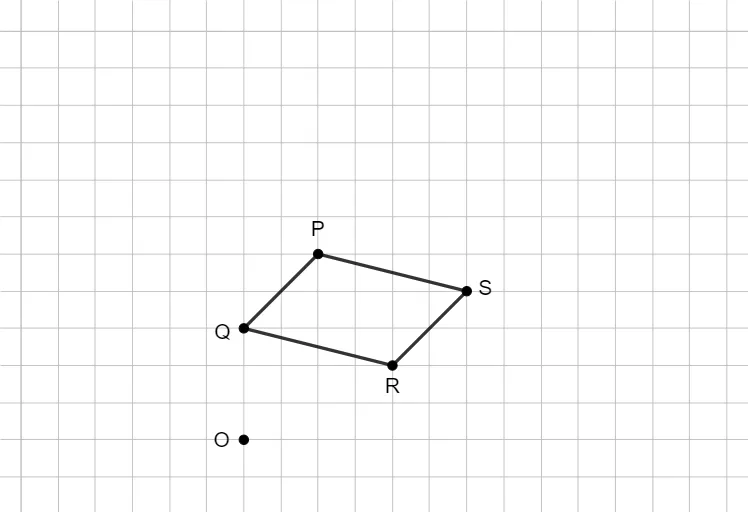
This example demonstrates how to perform dilations on a square grid, showcasing scaling and rotation effects through transformations. Core math concepts include dilation center, scale factor, similar figures, and coordinate transformations. Construction highlights: Segment command, points A, B, f, C, g, D, h, i, text elements (text1 to text5), and point E are used. Suitable for middle school geometry students to understand and practice dilation construction methods and properties.
GeoGebra Commands & Parameters
Segment(A, B) → fSegment(B, C) → gSegment(C, D) → hSegment(D, A) → i
AI Drawing Prompt Reference
Draw a quadrilateral on a square grid with vertices connected in order to form a closed shape. Choose one vertex as the center of dilation, then scale the entire quadrilateral by a given factor while keeping it similar to the original. Label the center point, the original vertices, and the corresponding scaled points. Add text annotations to indicate the scale factor and describe the transformation. The diagram should clearly show the correspondence between the original and dilated figures, making it easy to observe similarity and coordinate changes.
The prompt above was compiled from the original drawing commands and is for reference only.