
Dilations and Similar Triangles Exploration
Loading the math board and drawing, please wait…
In collections
Team 4 Dilations
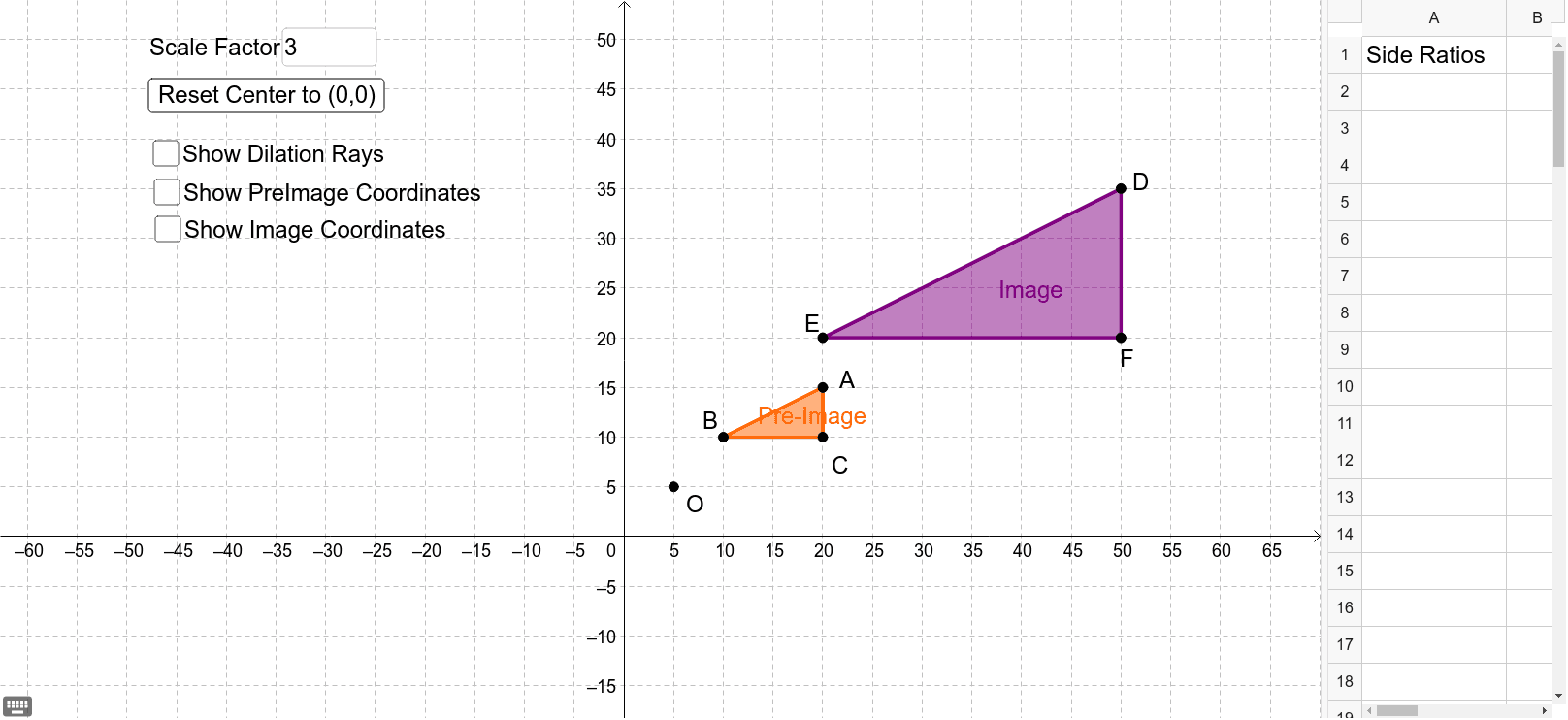
This example demonstrates how to create similar triangles through dilation transformations and shows the proportional relationships of corresponding side lengths. The core math concepts involved include the criteria and properties of similar triangles, the definition of dilation transformations, and their effects on geometric figures. Construction highlights: using GeoGebra commands/objects like Polygon, Dilate, Ray, Textfield, Distance; objects include DE, a, O, B, C, A, poly1, d, b, c, E, F, D, poly1', d', b', c', e, f, g, inputBox1, distanceOF, distanceFC, button1, h, distanceBC, distanceEF, G, H, I, J, K, L, i, j, DF, AC, FE, CB, A1. Suitable for middle school and above students learning geometric transformations and similar figures.
GeoGebra Commands & Parameters
Polygon(B, C, A) → poly1, d, b, cDilate(B, a, O) → EDilate(C, a, O) → FDilate(A, a, O) → DPolygon(E, F, D) → poly1', d', b', c'Ray(O, E) → eRay(O, D) → fRay(O, F) → gTextfield(a) → inputBox1Distance(O, F) → distanceOFDistance(F, C) → distanceFCDistance(B, C) → distanceBCDistance(E, F) → distanceEFDistance(D, F) → DFDistance(A, C) → ACDistance(F, E) → FEDistance(C, B) → CB
AI Drawing Prompt Reference
Draw triangle ABC, then scale points A, B, C from center O by factor a to get points D, E, F. Connect OE, OD, OF as rays. Draw the scaled triangle DEF. Include an input box for scaling factor a, and measure lengths OF, FC, BC, EF, DF, AC, FE, CB, displaying these values to illustrate similar triangles and proportional relationships.
The prompt above was compiled from the original drawing commands and is for reference only.