
Dilation with Negative Scale Factor
Loading the math board and drawing, please wait…
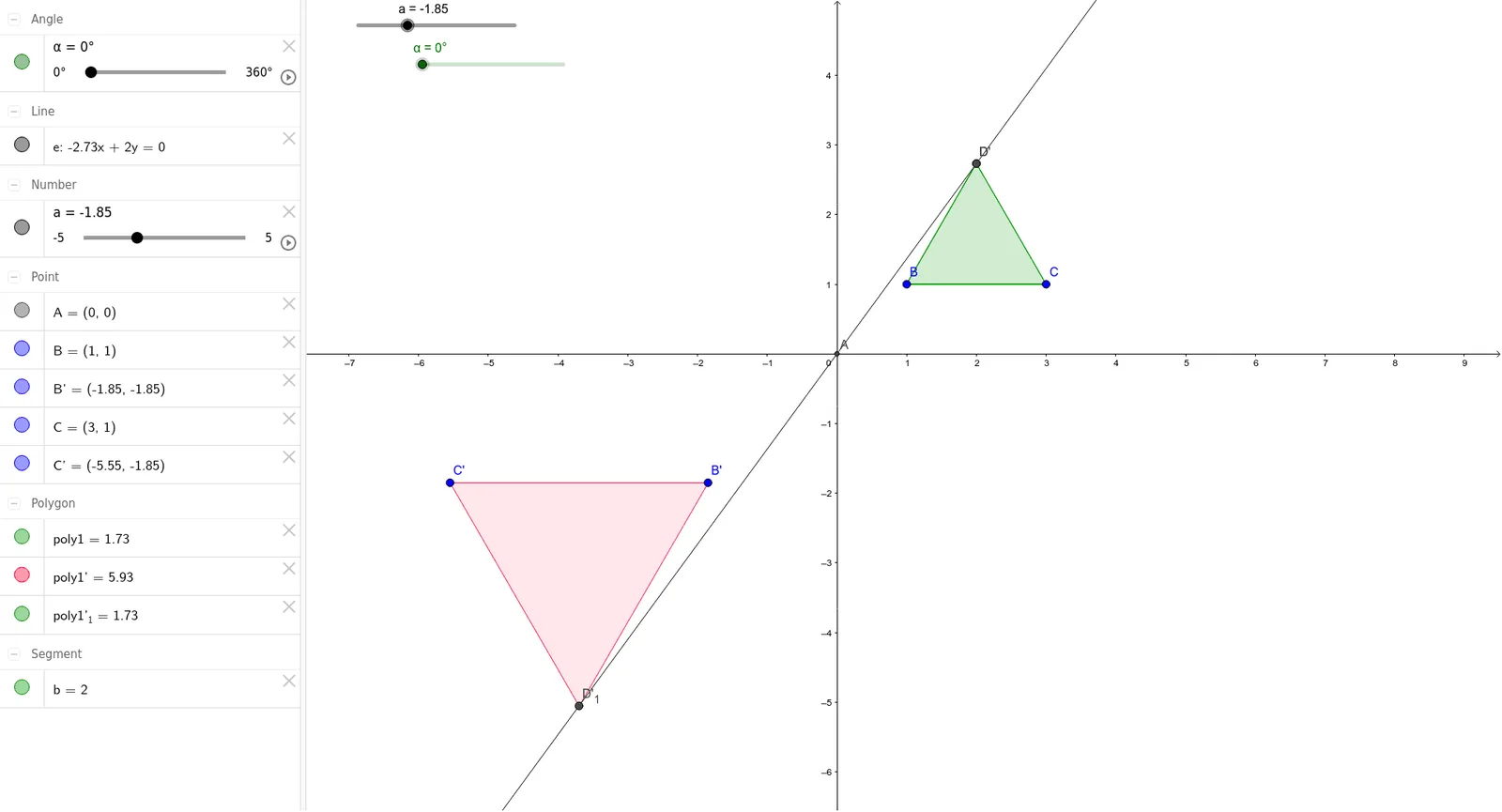
This example demonstrates the process of performing a dilation with a negative scale factor on a shape. Key math concepts include dilation, limits, cuboids, and quadrilaterals. It uses GeoGebra commands and objects such as Intersect, Polygon, Dilate, Line, and Rotate. Suitable for high school students learning geometric transformations and linear programming.
GeoGebra Commands & Parameters
Intersect(xAxis, yAxis) → APolygon(B, C, 3) → poly1, b, c, d, DDilate(poly1, a, A) → poly1'Line(A, D) → eDilate(B, a, A) → B'Dilate(C, a, A) → C'Rotate(poly1, α, A) → poly1'_1Rotate(D, α, A) → D'Dilate(D, a, A) → D'_1
AI Drawing Prompt Reference
Draw a cube and a triangle, find the intersection point of the coordinate axes, dilate and reflect the cube with a negative scale factor centered at this point to get a mirrored and reduced cube, then dilate and reflect the vertices of the triangle, rotate the cube by a certain angle to get a deformed cube, and connect the corresponding vertices.
The prompt above was compiled from the original drawing commands and is for reference only.