
Dilation of a Triangle: Dynamic GeoGebra Demonstration
Loading the math board and drawing, please wait…
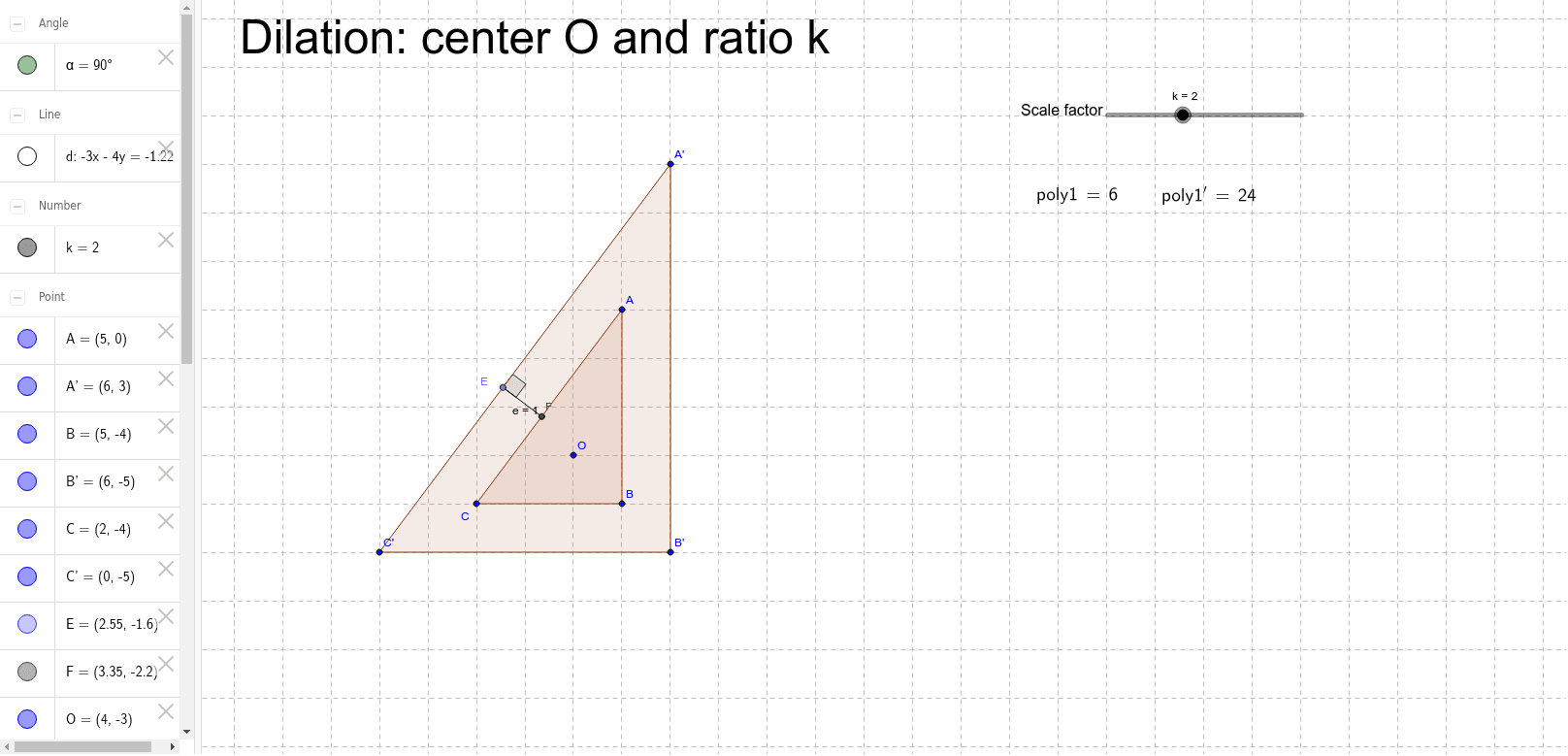
① This example dynamically demonstrates the dilation (scaling) of a triangle about a center point O with a scale factor k, showing the original triangle and its image side by side. ② The core mathematical concept is dilation, a similarity transformation that preserves shape while changing size, with corresponding vertices lying on lines through the dilation center. ③ Construction highlights: the Polygon command creates the original triangle poly1; the Dilate command generates the image triangle poly1' centered at O with factor k; auxiliary lines (OrthogonalLine, Intersect) and angles (Angle) label corresponding elements; LaTeX texts (text1–text4) display the scale factor and vertex coordinates; a slider k controls the scaling interactively. ④ Suitable for middle and high school students and teachers exploring similarity transformations, geometric construction, or dynamic geometry software, ideal for classroom demonstrations or self-guided investigation of dilation properties.
GeoGebra Commands & Parameters
Polygon(A, B, C) → poly1, c, a_1, bDilate(A, k, O) → A'Dilate(B, k, O) → B'Dilate(C, k, O) → C'Polygon(A', B', C') → poly1', c', a', b'LaTeX(poly1, true, true) → text1LaTeX(poly1', true, true) → text2Point(b') → EOrthogonalLine(E, b) → dIntersect(d, b) → FAngle(F, E, A') → αSegment(E, F) → e
AI Drawing Prompt Reference
Draw a triangle ABC and perform a scaling transformation around point O with a scale factor k. First, draw triangle ABC, then generate points A', B', and C' by scaling A, B, and C around O with factor k, forming triangle A'B'C'. Mark the coordinates of the original triangle's vertices on A'B', and use LaTeX to display the scale factor k. Finally, construct a perpendicular line from point E on A'B' to find the foot of the perpendicular F, and measure the angle ∠FA'B'.
The prompt above was compiled from the original drawing commands and is for reference only.