
Dilating Line Segments
Loading the math board and drawing, please wait…
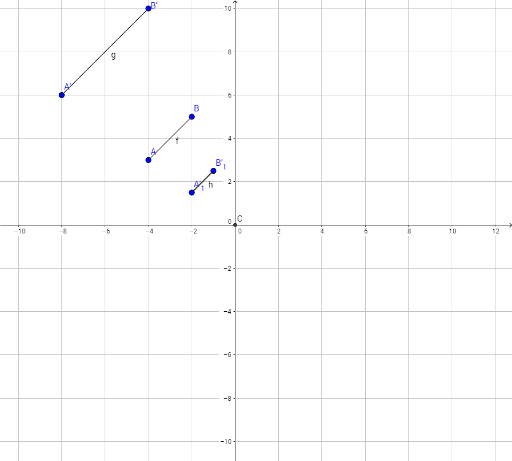
This example demonstrates how to dilate line segments using transformations. Key math concepts include line segments, similarity transformations, matrix applications, and the formation of ellipses. Construction highlights the use of GeoGebra commands Segment, Intersect, and Dilate with objects A, B, f, C, A', B', A'_1, B'_1, g, h. Suitable for high school and above students studying geometric transformations and analytical geometry.
GeoGebra Commands & Parameters
Segment(A, B) → fIntersect(xAxis, yAxis) → CDilate(A, 2, C) → A'Dilate(B, 2, C) → B'Dilate(A, 1 / 2, C) → A'_1Dilate(B, 1 / 2, C) → B'_1Segment(A', B') → gSegment(A'_1, B'_1) → h
AI Drawing Prompt Reference
Draw a line segment and find the intersection of the coordinate axes. Dilate the endpoints of the line segment from this intersection point, creating two new segments—one dilated and the other contracted. Connect the dilated and contracted endpoints to form two additional line segments, demonstrating similarity transformations and matrix applications in forming an ellipse.
The prompt above was compiled from the original drawing commands and is for reference only.