
Digital Fingerprint with Matrices
Loading the math board and drawing, please wait…
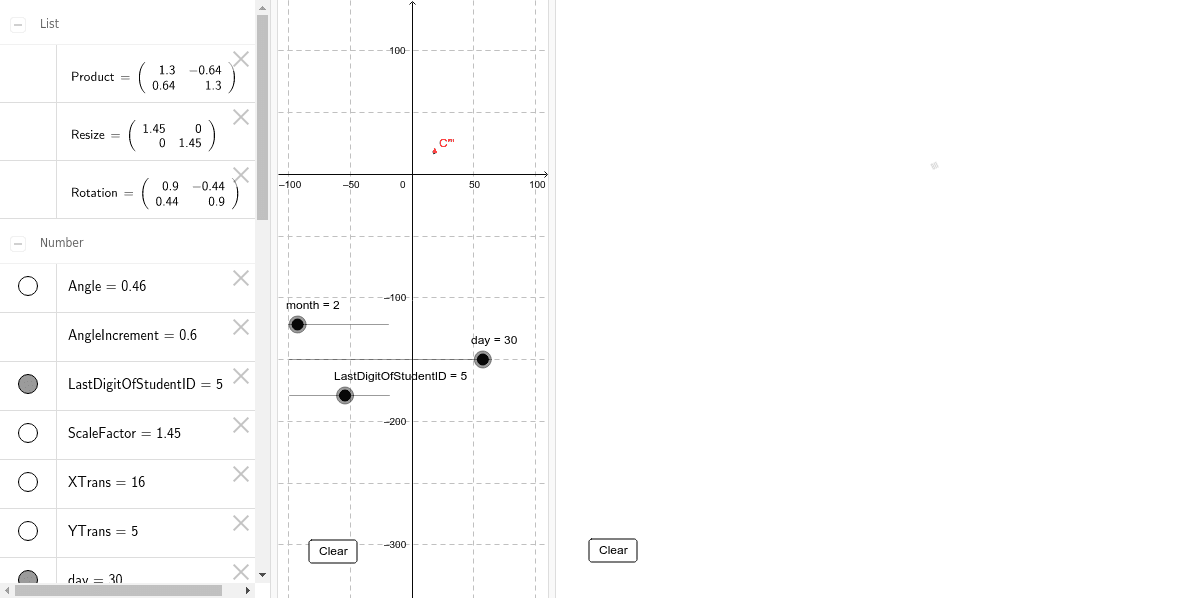
This example demonstrates how students can create a unique 'digital fingerprint' graphic using matrix transformations. Core math concepts include matrices, geometric transformations, and coordinate geometry. Key GeoGebra commands used are Point, Intersect, Translate, ApplyMatrix, and Polygon for creating and manipulating points, lines, and polygons. Suitable for high school mathematics education to understand the application of matrices in graphical transformations and creative design.
GeoGebra Commands & Parameters
Point(xAxis) → DPoint(yAxis) → BIntersect(xAxis, yAxis) → ATranslate(D, Shift) → D'Translate(C, Shift) → C'Translate(B, Shift) → B'Translate(A, Shift) → A'ApplyMatrix(Resize, C') → C''ApplyMatrix(Rotation, C'') → C'''Polygon(ApplyMatrix[Product, A'], ApplyMatrix[Product, B'], ApplyMatrix[Product, C'], ApplyMatrix[Product, D']) → RotatedResizedShiftedSquare, f, g, h, i
AI Drawing Prompt Reference
Create a digital fingerprint pattern using matrix transformations. Start by creating points D and B on the x-axis and y-axis, respectively, which intersect at point A. Then translate points D, C, B, and A to get D', C', B', and A'. Next, apply scaling and rotation to C' to get C'', and then apply rotation to C'' to get C'''. Finally, use A', B', C', and D' as vertices to draw a quadrilateral, which will be the final digital fingerprint pattern.
The prompt above was compiled from the original drawing commands and is for reference only.