
Differential Calculus & Geometry Construction Example
Loading the math board and drawing, please wait…
In collections
Mapping Diagrams: From AB to C&DE, Resource
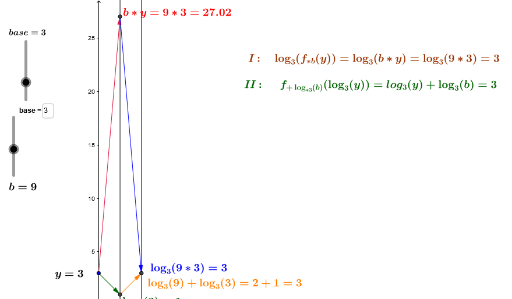
This example demonstrates the process of constructing differential geometry figures and calculating expected values using GeoGebra. It involves core mathematical concepts such as differential calculus, expected value, rectangle, cube, and conic sections. The construction uses commands like Point, Vector, Textfield, and objects including a, base, e, k, A, m, a_1, b_1, f1, f2, B, C, u, v, c, text2, text3, inputBox1, inputBox2, d, f3, D, w, text5, inputBox3, button1, button2, button3, button4, text1, g_x, fg_x, hfg_x, x_0, l, inputBox4_1, z, E, g, F. It is suitable for high school students and mathematics enthusiasts learning differential calculus and geometric construction methods.
GeoGebra Commands & Parameters
Point(yAxis) → AVector(A, B) → uVector(B, C) → vTextfield(f1) → inputBox1Textfield(f2) → inputBox2Vector(C, D) → wTextfield(f3) → inputBox3Textfield(m) → inputBox4_1Vector(A, D) → zVector(A, F) → iVector(F, C) → hVector(C, D) → jVector(B, D) → nVector(D, B) → pPoint(yAxis) → HVector(H, I) → qVector(H, K) → rVector(K, J) → sVector(I, J) → tVector(J, M) → u_1Textfield(base) → inputBox4Vector(I, M) → v_1Vector(M, I) → w_1Vector(H', G') → z_1Vector(H', K') → c_1Vector(K', J') → e_1Vector(G', J') → d_1