
Designing a Tent GeoGebra Example
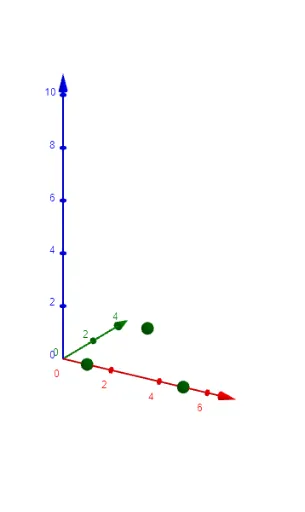
Loading the math board and drawing, please wait…
This example demonstrates how to design a geometric model of a tent using GeoGebra, involving concepts like rhombus, incircle, geometric distribution, etc. Key GeoGebra commands and objects used include Polygon, Point, Append, Sequence for constructing the model, suitable for middle school students and teachers.
GeoGebra Commands & Parameters
Polygon(First[crnrs, corners]) → t1Point(Segment[A, B]) → HAppend(First[crnrs, corners], A) → l1Sequence(Polygon[Element[l1, i], Element[l1, i + 1], Element[l1, i + 1] + (0, 0, w), Element[l1, i] + (0, 0, w)], i, 1, corners) → l2Sequence(Polygon[G + (0, 0, m), Element[l1, i + 1] + (0, 0, w), Element[l1, i] + (0, 0, w)], i, 1, corners) → l3Point(Segment[D, If[corners ≟ 6, E, C]]) → IPolygon(B + (0, 0, w), C + (0, 0, w), I + (0, 0, m)) → t2, f, g, hPolygon(B + (0, 0, w), I + (0, 0, m), H + (0, 0, m)) → t3, i, j, kPolygon(C + (0, 0, w), D + (0, 0, w), I + (0, 0, m)) → t4, l, n, pPolygon(If[corners ≟ 6, E, A] + (0, 0, w), D + (0, 0, w), I + (0, 0, m)) → t5, q, r, sPolygon(A + (0, 0, w), I + (0, 0, m), H + (0, 0, m)) → t6, t, c, dPolygon(A + (0, 0, w), B + (0, 0, w), H + (0, 0, m)) → t7, e, f_1, g_1Polygon(A + (0, 0, w), B + (0, 0, w), H + (0, 0, m)) → t8, h_1, i_1, j_1Polygon(D + (0, 0, w), E + (0, 0, w), I + (0, 0, m)) → t9, k_1, l_1, m_1Polygon(B + (0, 0, w), C + (0, 0, w), H + (0, 0, m)) → t10, n_1, p_1, q_1Polygon(D + (0, 0, w), C + (0, 0, w), I + (0, 0, m)) → t11, r_1, s_1, t_1Polygon(H + (0, 0, m), C + (0, 0, w), I + (0, 0, m)) → t12, a_1, b_1, c_1Polygon(H + (0, 0, m), F + (0, 0, w), I + (0, 0, m)) → t13, d_1, e_1, f_2Polygon(A + (0, 0, w), F + (0, 0, w), H + (0, 0, m)) → t14, g_2, h_2, i_2Polygon(E + (0, 0, w), F + (0, 0, w), I + (0, 0, m)) → t15, j_2, k_2, l_2
AI Drawing Prompt Reference
Draw a geometric model of a tent featuring a rhombus and incircle, demonstrating geometric distribution. Start by creating a polygon for the tent's base, then construct the sides and roof using a series of operations to add height and width, forming a 3D effect. Use basic geometric objects like points, segments, and polygons, adding dimensions in sequence to complete the tent structure.
The prompt above was compiled from the original drawing commands and is for reference only.