
Describing with Sequences
Loading the math board and drawing, please wait…
In collections
学习 GeoGebra 经典应用
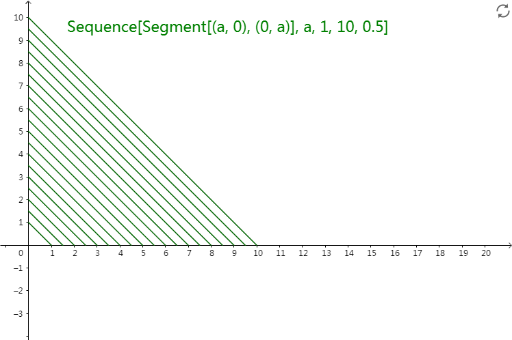
This example uses sequences to describe the change of a geometric shape. It involves mathematical concepts of derivatives and probability. The construction points include using GeoGebra's Sequence command and list1 object. This example is suitable for middle school or high school students to learn about sequences and probability.
GeoGebra Commands & Parameters
Sequence(Segment[(a, 0), (0, a)], a, 1, 10, 0.5) → list1
AI Drawing Prompt Reference
On a coordinate plane, create a graphic that describes how a geometric shape changes through a sequence. Start with a parameter a and form a segment whose endpoints are (a, 0) and (0, a). Use this segment as the guiding rule to generate a sequence based on parameter a, producing sequence terms for values from 1 to 10 with step size 0.5. Display the resulting sequence of geometric objects (as a set of points/objects in order) to show the gradual change.
The prompt above was compiled from the original drawing commands and is for reference only.