
Describing Parabolas
Loading the math board and drawing, please wait…
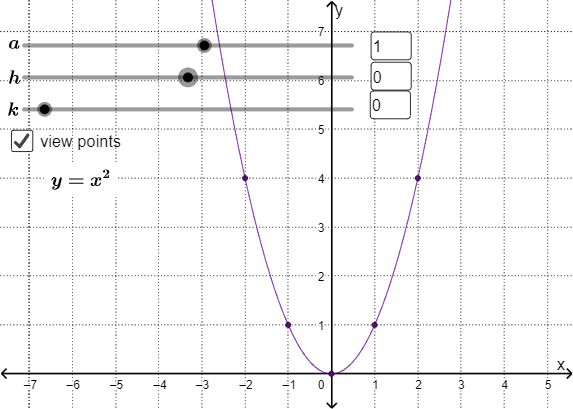
This example demonstrates the geometric properties and algebraic representation of parabolas. Key math concepts include parabola equations, special points (foci, vertices), isosceles triangles, and fraction calculations. Construction highlights involve GeoGebra commands like If and Textfield to create text and conditional objects, defining parameters a, h, k to control parabola position, and calculating foci F1-F7, vertices G1-G7, isosceles triangles H1-H7, and related auxiliary lines. Suitable for high school coordinate geometry instruction to understand parabola definitions and properties.
GeoGebra Commands & Parameters
If(c > 0, "-", "+") → text5If(a ≟ 1, "", text8) → text7If(d < 0, "-", "+") → text6If(c ≟ 0, "", text9) → text11If(d ≟ 0, "", text10) → text12If(c ≟ 0, "", "(") → text13Textfield(a) → InputBox1Textfield(c) → InputBox2Textfield(d) → InputBox3
AI Drawing Prompt Reference
Draw a parabola with its vertex at the origin and opening to the right. Adjust parameters a, c, and d to change the position and direction of the parabola. First input a, then c and d. Depending on the values of c and d, the direction of the parabola's opening will change, and the positions of the foci and vertices will be displayed, along with related isosceles triangles.
The prompt above was compiled from the original drawing commands and is for reference only.