
Derivative Rules Practice: Product, Quotient, and Chain Rule
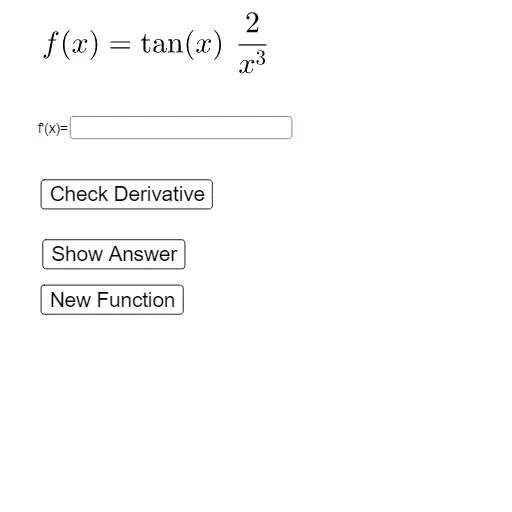
Loading the math board and drawing, please wait…
This GeoGebra example demonstrates how to practice and compare the Product Rule, Quotient Rule, and Chain Rule across composite expressions. It highlights how the derivative is affected by “outer” and “inner” functions, especially when power, trigonometric, logarithmic, and exponential functions are combined. Key concepts include derivative computation rules (product/quotient/chain), differentiation of power functions, and differentiating trig, log, and exponential functions in both direct and nested forms, with visual checks to ensure consistency. The construction leverages commands such as Flatten and RandomElement to select from pools of function patterns and differentiation cases, Derivative to automatically compute symbolic derivatives, Zip to package related objects, Textfield and InputBox1 (plus text elements) for displaying prompts and answers, and Remove to clean intermediate objects. Managed objects like tlist, Dlist, f1/f2, C/Q/P, D'list, G/G', l1/l2, and Ans together support the interactive generation and verification of both functions and their derivatives. Suitable for high school to early college calculus practice and for students building rule-based differentiation skills.
GeoGebra Commands & Parameters
Flatten({plist, elist, RandomElement[tlist], llist}) → DlistRandomElement(Dlist) → f1RandomElement(Remove[Dlist, {f1}]) → f2RandomElement(D'list) → GDerivative(G) → G'Zip(dlist(1, a(x)), a, dlist) → l2Textfield(Ans) → InputBox1Remove(Dlist, {f1}) → l1
AI Drawing Prompt Reference
Draw a graph showing the product rule, quotient rule, and chain rule. Include functions and their derivatives, along with random function patterns. Key objects are functions, derivatives, and text prompts. The construction order starts with selecting functions, then computing derivatives, and finally displaying results.
The prompt above was compiled from the original drawing commands and is for reference only.