
Demonstration of Vector Addition
Loading the math board and drawing, please wait…
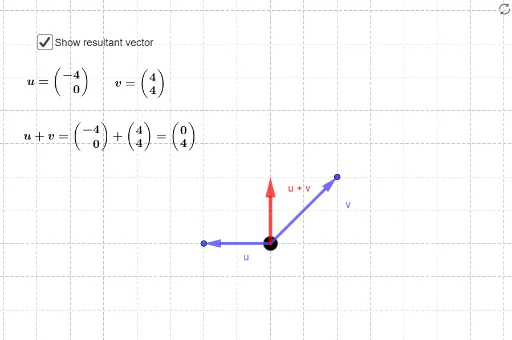
This example illustrates the resultant effect of adding two vectors. It involves core mathematical concepts like vector addition, the cosine theorem, and stochastic processes. Constructed using GeoGebra commands such as Vector, Point, Length, and Circle. Suitable for high school and above students to learn vector operations and geometric representations.
GeoGebra Commands & Parameters
Vector(A) → uVector(B) → vPoint(a) → CLength(a) → bCircle(C, 0.4) → c
AI Drawing Prompt Reference
Draw two vectors and label their start and end points, then mark a point at the end of the first vector, measure the distance from this point to the start, and draw a circle centered at this point with a radius of 0.4 to illustrate the geometric meaning of vector addition.
The prompt above was compiled from the original drawing commands and is for reference only.