
Demonstration of Orthocenter Properties in Triangles
Loading the math board and drawing, please wait…
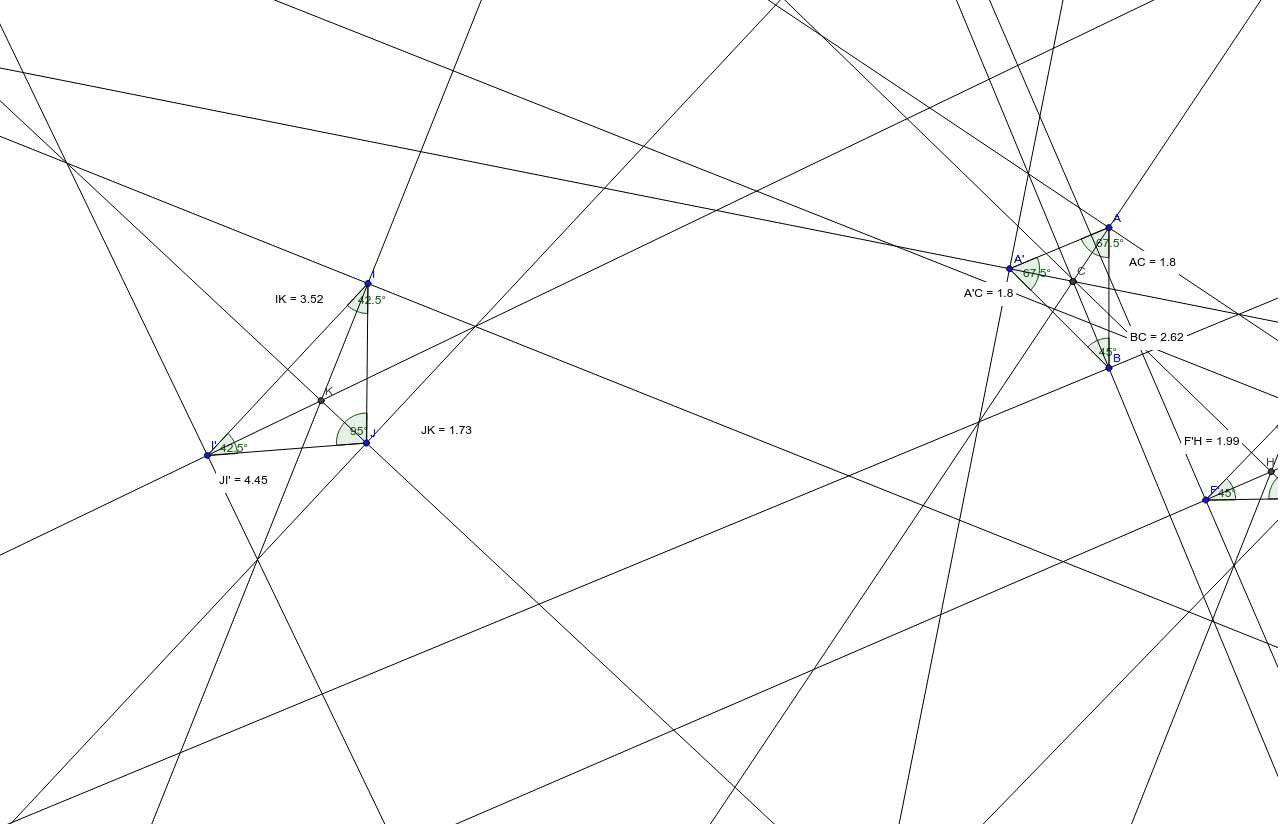
This example dynamically illustrates the geometric properties of the orthocenter (circumcenter) in a triangle, revealing its relationships with vertices, sides, and angles. Key math concepts include orthocenter, perpendicular lines, angle bisectors, distance formulas, and analytical geometry. Construction highlights the use of GeoGebra commands like Rotate, Angle, Segment, AngularBisector, Intersect, Distance, and Midpoint. Suitable for high school mathematics education to understand advanced triangle properties and dynamic geometry software applications.
GeoGebra Commands & Parameters
Rotate(A, 45*°, B) → A'Angle(A, B, A') → αSegment(A, B) → aSegment(B, A') → bSegment(A', A) → cAngle(A', A, B) → γAngle(B, A', A) → βAngularBisector(c, a) → d, eAngularBisector(a, b) → f, gAngularBisector(b, c) → h, iIntersect(e, g) → CIntersect(i, e) → DIntersect(e, g) → EDistance(A', C) → distanceA'CDistance(A, C) → distanceACDistance(B, C) → distanceBCRotate(F, 90*°, G) → F'Angle(F, G, F') → δSegment(F, G) → jSegment(G, F') → kSegment(F', F) → lAngle(F', F, G) → ηAngle(G, F', F) → εAngularBisector(l, j) → m, nAngularBisector(j, k) → p, qAngularBisector(k, l) → r, sIntersect(q, n) → HDistance(G, H) → distanceGHDistance(F', H) → distanceF'HDistance(F, H) → distanceFHRotate(I, 95*°, J) → I'Angle(I, J, I') → ζSegment(I, J) → tSegment(J, I') → a_1Segment(I', I) → b_1Angle(J, I', I) → θAngle(I', I, J) → κAngularBisector(b_1, a_1) → c_1, d_1AngularBisector(t, b_1) → e_1, f_1AngularBisector(a_1, t) → g_1, h_1Intersect(d_1, f_1) → KDistance(I, K) → distanceIKMidpoint(I, K) →Distance(J, K) → distanceJKMidpoint(J, K) →Distance(J, I') → distanceJI'Midpoint(J, I') →
AI Drawing Prompt Reference
Draw a triangle and dynamically illustrate the properties of its orthocenter in relation to the vertices, sides, and angles. Start by constructing the triangle's sides, then rotate each vertex around the opposite side to create new points. Next, draw the angle bisectors for each side and find their intersections to locate the orthocenter. Draw perpendicular lines from the orthocenter to the sides, and calculate the distances between key points. Finally, rotate certain points at specific angles, repeat the process of drawing angle bisectors and intersections, to reveal additional geometric relationships.
The prompt above was compiled from the original drawing commands and is for reference only.