
Deltoid Properties: Interactive Learning with Multiple-Choice and Open Problems
Loading the math board and drawing, please wait…
In collections
Deltoid - Eigenschaften und Konstruktionen
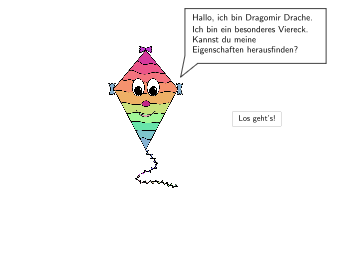
This GeoGebra worksheet provides a comprehensive exploration of Deltoid (kite/rhombus) geometric properties through three types of interactive exercises. Type 1: Multiple-choice questions identifying statements true for all Deltoids and calculating missing angles. Type 2: Open problems determining whether a given figure is a Deltoid with mathematical justification. Type 3: Investigative tasks verifying Paula's claim about combining two congruent isosceles triangles along their bases to form a Deltoid, and exploring special Deltoid characteristics. Key mathematical concepts include axis of symmetry, adjacent side equalities, interior angle sum of 360°, perpendicular diagonals with one as symmetry axis. Construction commands used: Polygon for shape creation, Angle for angle measurement, Rotate for rotational symmetry, Intersect for diagonal intersection, Midpoint for diagonal midpoints, Segment for side construction. Designed for Grade 5-6 students learning special quadrilateral properties in German curriculum (Schulstufe 5-6).
GeoGebra Commands & Parameters
Spline({SplineAnchor_1, SplineAnchor_2, SplineAnchor_3, SplineAnchor_4}, 3) → SplineAnimSpeechBubbleLeft(SpeechAnchor_1, 6, 2.2) → Vieleck1Point(Umriss) → StiftAnchorPolygon(StiftAnchor, StiftAnchor + (-0.2, 0.2), StiftAnchor + (1.2, 1.7), StiftAnchor + (1.8, 1.4), StiftAnchor + (0.2, -0.2)) → d1, f, g, h, i, jIsInRegion(StiftAnchor, Circle[Umriss_1, 0.5]) → RegionU1IsInRegion(StiftAnchor, Circle[Umriss_2, 0.5]) → RegionU2IsInRegion(StiftAnchor, Circle[Umriss_3, 0.5]) → RegionU3IsInRegion(StiftAnchor, Circle[Umriss_4, 0.5]) → RegionU4SelectedIndex(DropDown1) → Index1SelectedIndex(DropDown2) → Index2SelectedIndex(DropDown3) → Index3SelectedIndex(DropDown4) → Index4SelectedIndex(DropDown5) → Index5SelectedIndex(DropDown6) → Index6Segment(MD + (0, 0.5), DMax4) → SergeantCross1Segment(MD + (1, 0), DMax3) → SergeantCross4Segment(MD - (0, 1), DMax2) → SergeantCross3Segment(MD + (-1, 0), DMax1) → SergeantCross2Point(SergeantCross1) → DE4Point(SergeantCross3) → DE2Point(SergeantCross2) → DE1Line(DMax4, DMax2) → blackmirrorPoint(SergeantCross4) → DE3Segment(DE1, DE4) → DSeite4Segment(DE4, DE3) → DSeite3Segment(DE3, DE2) → DSeite2Segment(DE2, DE1) → DSeite1Segment(DE2, DE4) → dia2Segment(DE1, DE3) → dia1Textfield(input1) → InputBox1SelectedElement(DropDown2) → SelectedElementD2SelectedElement(DropDown3) → SelectedElementD3SelectedElement(DropDown4) → SelectedElementD4Textfield(input2) → InputBox2SelectedElement(DropDown5) → SelectedElementD5SelectedElement(DropDown6) → SelectedElementD6Midpoint(DE3, DE2) → BeschcAnchorIntersect(dia1, dia2) → FAngle(DE4, F, DE1) → εSegment(Umriss_1, Umriss_2) → UmrissaSegment(Umriss_2, Umriss_3) → UmrissbSegment(Umriss_3, Umriss_4) → UmrisscSegment(Umriss_4, Umriss_1) → UmrissdAngle(DE1, DE4, DE3) → ζAngle(DE4, DE3, DE2) → DELTAAngle(DE3, DE2, DE1) → θAngle(DE2, DE1, DE4) → ιAngle(DE4, DE3, DE2) → BETA2If(step ≟ 7 ∨ step ≟ 9, 450, 494) → posxsolIf(step ≟ 7 ∨ step ≟ 9, 285, 143) → posysolSpeechBubbleRight(G, 12, 1.5) → Vieleck2Angle(K, N, L) → ηAngle(N, L, O) → κAngle(L, O, K) → λAngle(O, K, N) → μAngle(N, M, K) → νAngle(DE4, DE2, DE1) → ξAngle(DE2, DE4, DE3) → οText(Text9, P, false, true, -1, -1) → Text12Segment(DE2 + (0, dArrow), DE2 + (0, dArrow + lArrow)) → kRotate(Segment[DE2 + (0, dArrow), DE2 + (0, dArrow + lArrow)], 90°, DE2) → lRotate(Segment[DE2 + (0, dArrow), DE2 + (0, dArrow + lArrow)], 180°, DE2) → mRotate(Segment[DE2 + (0, dArrow), DE2 + (0, dArrow + lArrow)], 270°, DE2) → n
AI Drawing Prompt Reference
Draw a rhombus with its two diagonals intersecting at a point and being perpendicular to each other, where one diagonal serves as the axis of symmetry. Label the four vertices of the rhombus and connect adjacent vertices to form its four sides. Mark the intersection point of the diagonals and measure the four interior angles, labeling them ε, ζ, DELTA, and θ.
The prompt above was compiled from the original drawing commands and is for reference only.