
Decimal Point Movement
Loading the math board and drawing, please wait…
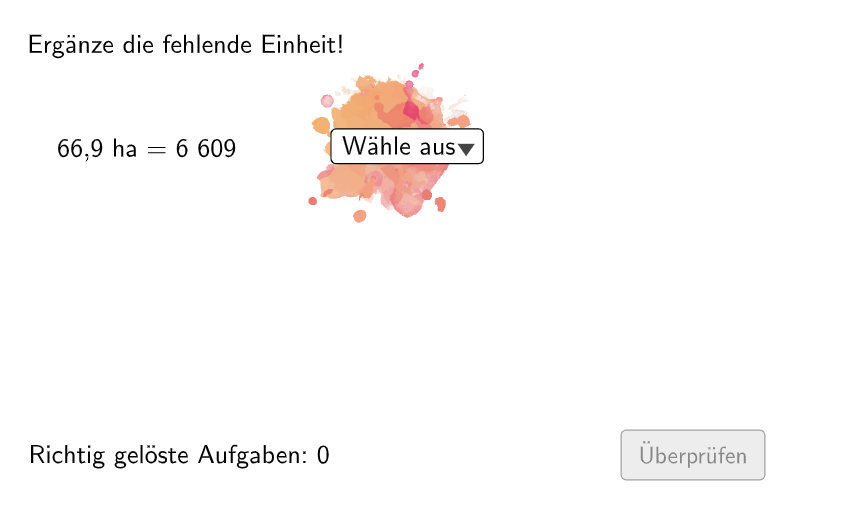
This example demonstrates how the movement of the decimal point affects the value of a number. Key mathematical concepts include the relationship between decimal point position and numerical value. It uses commands such as Join, Element, If, IndexOf, Shuffle, Append, Remove, NumberSeperation, Textfield, Polygon, and Corner in GeoGebra. Suitable for students in grades 5-6.
GeoGebra Commands & Parameters
Join(Sequence[Shuffle[{1, 2, 3, 4, 5, 6}], i, 1, 20]) → ListeBeispielCountElement(ListeBeispielCount, Mod[questionCount, 100]) → BeispielCountJoin(Sequence[Shuffle[{true, false}], i, 1, 50]) → ListeWWGroßAufKleinElement(ListeWWGroßAufKlein, Mod[questionCount, 100]) → großAufKleinIf(allowDecimalNumbers, Element[If[großAufKlein, ListeKommaGroßAufKlein, ListeKommaKleinAufGroß], BeispielCount], Element[If[großAufKlein, ListeGroßAufKlein, ListeKleinAufGroß], BeispielCount]) → BeispielElement(Beispiel, 2) → einheit2IndexOf(SelectedElement[LL], LL) → EinheitGewähltShuffle(Sequence[Random[111, 9999], i, 1, 100]) → randomNosForX, {525, 6609, 8606, 2196, 6986, 3169, 7319, 7692, 9768, 6947, 8687, 8501, 8957, 5715, 1758, 6113, 4608, 8041, 9043, 6110, 9587, 7843, 5751, 7389, 4267, 6173, 1529, 8748, 541, 6259, 6661, 3216, 271, 3926, 2234, 4428, 1837, 2439, 4037, 4791, 8730, 2367, 5691, 4054, 5322, 7818, 497, 1754, 1452, 3613, 2880, 9283, 9215, 1293, 2138, 1666, 9127, 5962, 6684, 9244, 6556, 9858, 6005, 8012, 9824, 9644, 5765, 3120, 9420, 4246, 1312, 3889, 5560, 2418, 3922, 7133, 1216, 692, 5405, 9967, 6302, 1188, 7058, 1779, 6871, 4693, 1112, 5385, 2251, 4717, 2222, 5868, 1266, 8526, 2207, 6699, 6136, 132, 8817, 1331}Append(true, Sequence[If[randomNosForX(i) ≟ randomNosForX(i - 1), false, true], i, 2, 100]) → stayXRemove(Sequence[If[stayX(i), randomNosForX(i), 0], i, 1, 100], Sequence[0, i, 1, 100]) → randomNosForXwithoutRepeatElement(randomNosForXwithoutRepeat, Mod[questionCount, Length[randomNosForXwithoutRepeat]] + 1) → numXwithoutRepeatElement(Beispiel, 1) → einheit1If(großAufKlein, Element[Beispiel, 4], 1 / Element[Beispiel, 4]) → faktorCorrectShuffle(Sequence[Random[1, 3], i, 1, 100]) → ListeFaktoren, {1, 2, 1, 3, 2, 2, 1, 2, 1, 2, 2, 1, 1, 2, 1, 3, 2, 3, 1, 1, 1, 3, 3, 1, 3, 1, 3, 2, 1, 3, 1, 3, 1, 2, 2, 3, 1, 2, 3, 1, 3, 3, 1, 1, 1, 3, 2, 2, 1, 3, 1, 2, 3, 3, 3, 2, 2, 1, 2, 2, 2, 3, 2, 1, 2, 1, 1, 3, 2, 2, 3, 2, 1, 1, 2, 3, 1, 1, 2, 1, 3, 2, 2, 1, 2, 2, 3, 3, 1, 1, 2, 3, 1, 2, 2, 3, 1, 2, 2, 2}Element(ListeFaktoren, Mod[questionCount, 100]) → positionFaktor0Element(Element[Beispiel, 3], positionFaktor0) → faktor0NumberSeperation(num) → NumSeperatedNumberSeperation(numCorrect) → TextNumCorrectTextfield(aInput) → InputBox1Textfield(bInput) → InputBox2Polygon(PtopLeftCornerFeedback, PtopRightCornerFeedback, PbottomRightCornerFeedback, PbottomLeftCornerFeedback) → rectangleCorrect, ptopleftcornerfeedback, ptoprightcornerfeedback, pbottomrightcornerfeedback, pbottomleftcornerfeedbackElement(randomNosForX, Mod[questionCount, 100] + 1) → numXCorner(Text2, 3) → ACorner(Text2, 2) → D
AI Drawing Prompt Reference
Create an interactive chart that demonstrates the relationship between integer and decimal representations of numbers. The chart includes a randomly generated number, and the user can input its decimal representation, which the system will use to calculate its integer representation. The chart also includes a rectangle that the user can resize by dragging its corner points.
The prompt above was compiled from the original drawing commands and is for reference only.