
Dark Theme Classroom Template
Loading the math board and drawing, please wait…
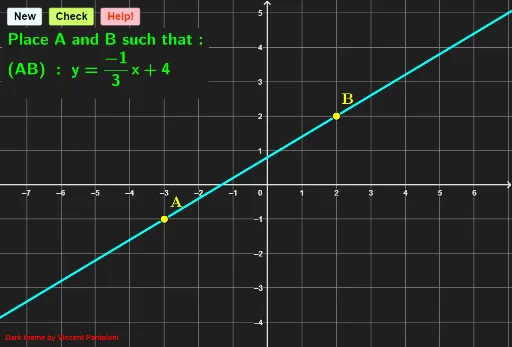
This is a classroom template in dark theme with exercise buttons providing feedback and help. It demonstrates concepts of trigonometry and limits. Using GeoGebra commands such as Line, Random, Union, Dilate, and Textfield, interactive mathematical graphics are constructed. Suitable for high school and above students.
GeoGebra Commands & Parameters
Line(A, B) → gRandom(-4, 4) → alea2Union(Sequence[k, k, 0, 4, 1], Sequence[1 / k, k, 1, 5, 1]) → laRandom(1, Length[la]) → alea1Dilate(Polygon[Corner[1], Corner[2], Corner[3], Corner[4]], 1.1) → fondTextfield(reponse) → ChampTexte1Corner(1) → SWFractionText((alea1signe * Element[la, alea1])) → aIf(alea2 > 0, "+", "") → signecondIf(alea2 ≠ 0 ∨ alea1 ≟ 1, FractionText[alea2], "") → bcondIf(Element[la, alea1] ≟ 0, "", If[(Element[la, alea1] * alea1signe) ≟ 1, "x", If[(Element[la, alea1] * alea1signe) ≟ -1, "-x", FractionText[(alea1signe * Element[la, alea1])] + "x"]]) → texteax
AI Drawing Prompt Reference
Create a dark-themed classroom template with exercise buttons for feedback and help, demonstrating trigonometry and limits. Start by drawing a base line, then generate and merge two sequences, randomly select an element from the merged sequence, scale a polygon, add a text field for answers, and display different mathematical expressions based on conditions including signs and fractions.
The prompt above was compiled from the original drawing commands and is for reference only.