
Dandelin's Spheres
Loading the math board and drawing, please wait…
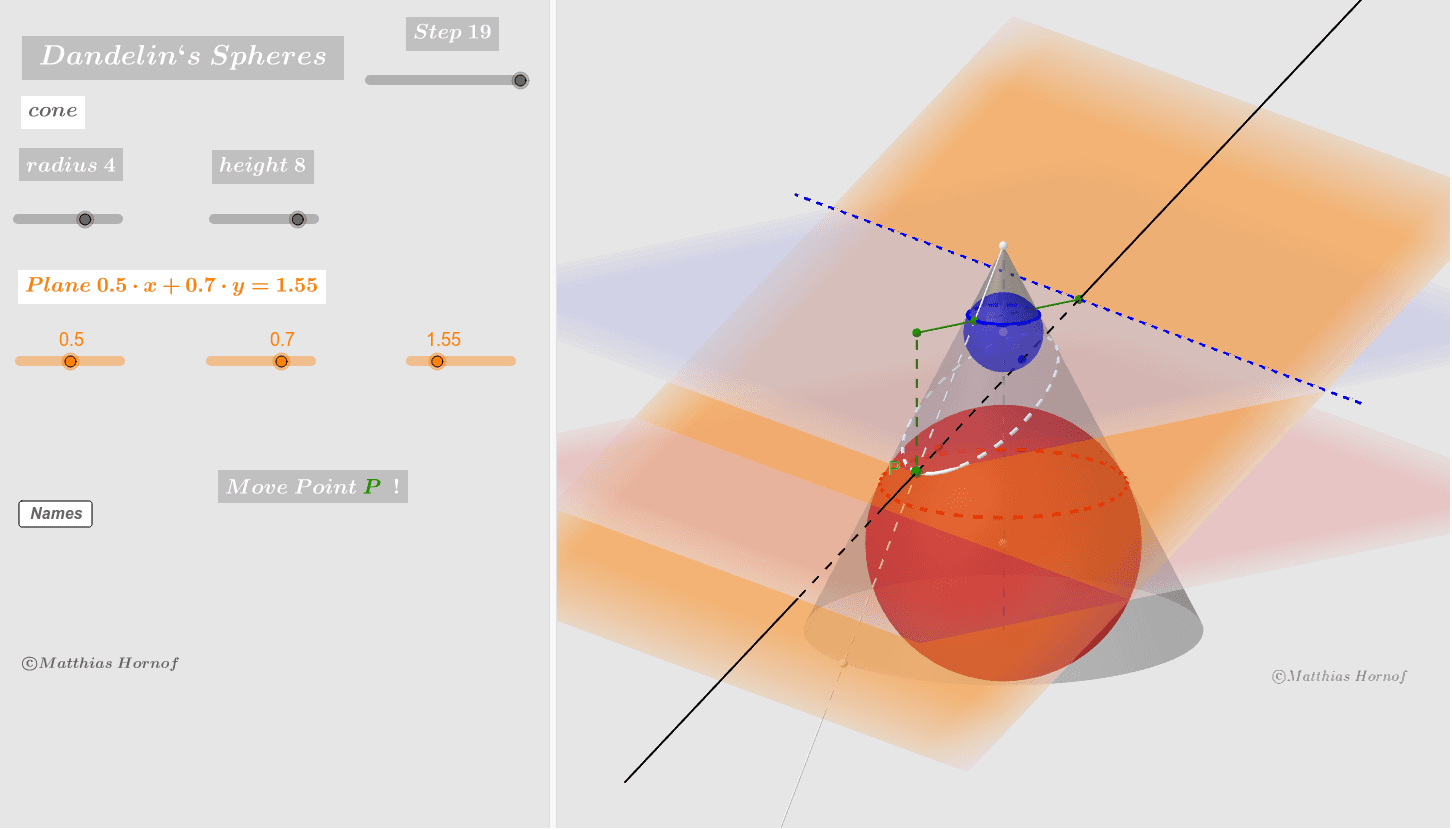
This example demonstrates the relationship between a cone, a section plane, and Dandelin spheres. Key concepts include cones, planes, and spheres. Using GeoGebra commands such as Line, Cone, IntersectPath, Focus, and Sphere, the geometric model of Dandelin spheres can be constructed. Suitable for high school geometry and solid geometry education.
GeoGebra Commands & Parameters
Line((0, 0, -3), (0, 0, r_2)) → zgCone((0, 0, -3), (0, 0, r_2), r_1) → kg, c, aIntersectPath(E_0, kg) → dFocus(d) → F_1, F_2OrthogonalLine(F_1, d) → a_1Corner(d) → A, B, C, DSegment((0, 0, -3), (0, 0, r_2)) → zaIntersect(a_1, zg) → C_1Sphere(C_1, F_1) → Dk_1OrthogonalLine(F_2, d) → a_2Intersect(a_2, zg) → C_2Sphere(C_2, F_2) → Dk_2Point(d) → PSegment(C_1, F_1) → cf_1Segment(C_2, F_2) → cf_2Ray(Z, Q) → zqOrthogonalLine(C_2, zq, space) → sc_2Intersect(zq, sc_2) → Bk_2Circle((0, 0, z(Bk_2)), x(Bk_2), space) → kr_2Circle(Bk_{2c}, Bk_{2b}, Bk_2) → e_2OrthogonalLine(C_1, zq, space) → sc_1Intersect(zq, sc_1) → Bk_1Circle(Bk_{1c}, Bk_{1b}, Bk_1) → e_1Intersect(zq, c) → E,Ray(Z, P) → zpIntersect(zp, c) → F,IntersectPath(E_0, E_1) → bOrthogonalLine(P_1, b, space) → eIntersect(b, e) → LLine(L, P) → fSegment(P, P_1) → s_{01}Segment(P_1, L) → s_{02}Segment((0, 0, z(Bk_1)), P_1) → s_{m2}Intersect(s_{m2}, e_1) → P_3,
AI Drawing Prompt Reference
Draw a cone with its base below the z-axis and vertex above the z-axis, and an intersecting plane forming an ellipse. Construct two Dandelin spheres that are tangent to the intersecting plane at the ellipse's foci. Draw the two foci, construct two tangents through the foci, and find their intersections with the intersecting plane to get two tangency points. Then, draw two auxiliary circles tangent to the ellipse through these points. Finally, connect relevant points and segments to illustrate the relationship between the Dandelin spheres and the ellipse.
The prompt above was compiled from the original drawing commands and is for reference only.