
Dürer's Apocalypse: Geometric Analysis with Polygon Construction and Trigonometr
Loading the math board and drawing, please wait…
In collections
geometriadinamica.es
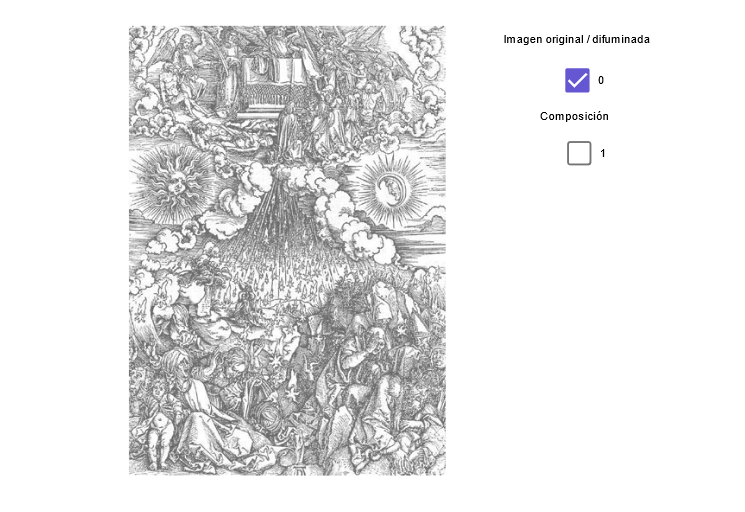
This GeoGebra example reconstructs and analyzes Albrecht Dürer's Renaissance woodcut series 'Apocalypse' through mathematical geometry. The core mathematical concepts include polygon construction and properties, angle measurement and calculation (φ angles), trigonometric functions (cosine), and symmetric transformations. Construction key points: Using Polygon command to build main polygon structures, defining key nodes with Point, establishing angle relationships via Angle command, applying Mirror command for axial symmetry, calculating trigonometric function values with Trigonometry and Cosine functions, and completing geometric figures using Midpoint, Segment, and Ray commands. This example is suitable for secondary school and university mathematics courses, applicable to teaching trigonometry, geometric construction, and coordinate geometry - a typical case combining artistic works with mathematical analysis.
GeoGebra Commands & Parameters
Line(A, T) → aPoint(a) → BDistance(A, B) → dxOrthogonalLine(A, a) → bLine(A, B) → cLine(A, C) → dOrthogonalLine(C, d) → eOrthogonalLine(B, c) → fIntersect(e, f) → DDistance(A, C) → dySegment(C, Aφ1) → sSegment(C, Aφ2) → a1Segment(Bφ1, C) → c1Segment(Bφ2, C) → d1Segment(D, Cφ2) → tSegment(D, Cφ1) → e1Segment(D, Aφ1) → g1Segment(D, Aφ2) → h1Segment(A, Dφ1) → i1Segment(A, Dφ2) → j1Segment(A, Bφ2) → k1Segment(A, Bφ1) → l1Segment(B, Cφ1) → m1Segment(B, Cφ2) → n1Segment(B, Dφ1) → p1Segment(B, Dφ2) → q1Intersect(l1, m1) → EIntersect(k1, n1) → FPoint(f) → GIntersect(d1, j1) → HPoint(f) → JOrthogonalLine(J, f) → r1OrthogonalLine(F, f) → a2OrthogonalLine(E, f) → b2Intersect(s, a2) → ROrthogonalLine(G, f) → t1Intersect(j1, t1) → NMidpoint(A, C) → UMidpoint(D, B) → VMidpoint(C, D) → WMidpoint(B, A) → ZIntersect(c1, e1) → IIntersect(j1, p1) → ORay(Cφ2, I) → b1Ray(Bφ2, I) → f1Ray(Cφ1, F) → s1Ray(Bφ1, F) → c2Ray(Bφ1, F) → nPolygon(A, C, D, B) → poly1, a_1, c_1, d_1, b_1Intersect(n, a_1) → KMidpoint(A, D) → MMirror(K, U) → K'Mirror(K, M) → K'_1Mirror(K', M) → K''Segment(K, Bφ1) → pSegment(Cφ1, K'') → qSegment(Bφ2, K') → rSegment(Cφ2, K'_1) → d2Intersect(n1, e1) → LIntersect(a1, j1) → PIntersect(g1, p1) → QIntersect(k1, q1) → S
AI Drawing Prompt Reference
Draw a geometric figure composed of multiple intersecting polygons and segments. Start by drawing a line segment AB, then take a point B on AB and calculate the distance dx. Next, draw a line b perpendicular to AB and a line c through A. On c, take a point C and draw lines e and f perpendicular to c and b, respectively, with their intersection at D. Calculate the distance dy on AC and take points Aφ1 and Aφ2. Draw segments s, a1, c1, d1, t, e1, g1, h1, i1, j1, k1, l1, m1, n1, p1, q1, and find their intersection points E, F, G, H, and J. Then, draw lines r1, a2, and b2 perpendicular to f, and find their intersection points R and N. Finally, draw the midpoints U, V, W, and Z of line segments, and find the intersection points I and O to complete the figure.
The prompt above was compiled from the original drawing commands and is for reference only.