
Cylinder Volume Demonstration by Mohamed Jihan
Loading the math board and drawing, please wait…
In collections
Volume of Prisms
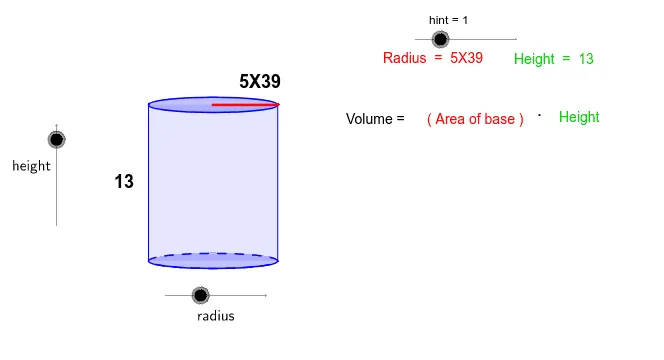
This example uses sliders to adjust the height and radius of a cylinder, demonstrating how to calculate the volume of a cylinder. Key mathematical concepts include the volume formula of a cylinder. Using GeoGebra commands such as Intersect, Vector, and Translate, the construction process of the cylinder is dynamically shown. Suitable for students at the junior high school level and above to learn solid geometry.
GeoGebra Commands & Parameters
Intersect(c, xAxis, 1) → AIntersect(c, xAxis, 2) → BVector((-17, 0), (-1 * 17, b)) → uTranslate(c, u) → dTranslate(A, u) → CTranslate(B, u) → DSegment(A, C) → eSegment(B, D) → fArc(c, A, B) → gPolygon(C, D, B, A) → P, c_1, d_1, b_1, a_1Intersect(xAxis, yAxis) → ESegment(E, B) → hTranslate(E, u) → E'Translate(B, u) → B'Segment(E', B') → iRoot(32) → FMidpoint(i) → GMidpoint(e) → H
AI Drawing Prompt Reference
Draw a cylinder volume demonstration. Start with a circle on the coordinate plane, intersecting the horizontal axis at two points. From these points, draw vertical segments upward with a length controlled by a height parameter, and translate the entire circle upward by the same distance to form the top circle. Connect corresponding bottom and top points to outline the cylinder's lateral surface. Use a semicircular arc to show the visible part of the bottom base, and enclose the side with a polygon. Then draw a radius segment from the center to a bottom intersection point, and its translated counterpart on the top, marking the midpoints of the two vertical side edges. The figure should clearly show the base, top, lateral surface, and key auxiliary lines for understanding the volume formula.
The prompt above was compiled from the original drawing commands and is for reference only.