
Cylinder Torsion
Loading the math board and drawing, please wait…
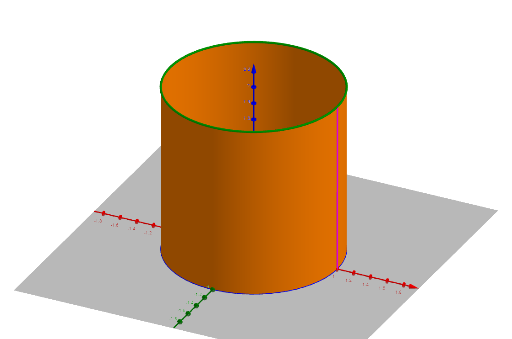
This example demonstrates the torsion of a cylinder. Key mathematical concepts include 3D vectors and surfaces. Using the CurveCartesian and Surface commands, a dynamic graphical representation of cylinder torsion is constructed. Suitable for high school or university geometry and physics courses.
GeoGebra Commands & Parameters
CurveCartesian(f_1(t), g_1(t), h_1(t), t, 0, 6.283185307179586) → c_1CurveCartesian(f_2(t), g_2(t), h_2(t), t, 0, 6.28319) → c_2Surface((v * f_1(u)) + ((1 - v) * f_2(u)), (v * g_1(u)) + ((1 - v) * g_2(u)), (v * h_1(u)) + ((1 - v) * h_2(u)), u, 0, U, v, 0, V) → aCurveCartesian((v * f_1(U)) + ((1 - v) * f_2(U)), (v * g_1(U)) + ((1 - v) * g_2(U)), (v * h_1(U)) + ((1 - v) * h_2(U)), v, 0, V) → bCurveCartesian((V * f_1(u)) + ((1 - V) * f_2(u)), (V * g_1(u)) + ((1 - V) * g_2(u)), (V * h_1(u)) + ((1 - V) * h_2(u)), u, 0, U) → c
AI Drawing Prompt Reference
Create a dynamic illustration of a cylinder torsion, showcasing 3D vectors and surfaces. Begin by drawing two circular curves to represent the top and bottom faces of the cylinder, then generate a twisted surface using these curves, and finally sketch the boundary lines of the surface to highlight the torsion effect.
The prompt above was compiled from the original drawing commands and is for reference only.