
Cylinder Lab: Interactive Exploration of Integration and Geometric Construction
Loading the math board and drawing, please wait…
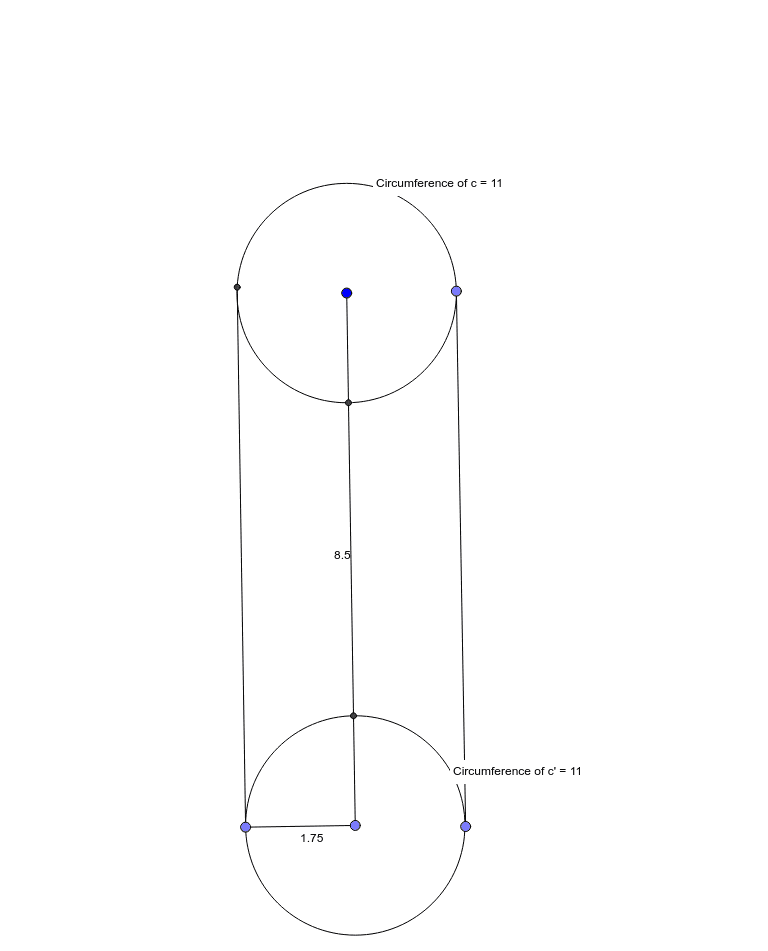
① This GeoGebra example constructs an interactive cylinder model, demonstrating the relationship between cylinder properties (surface area/volume) and concepts like integration and standard deviation, with rectangles and line segments aiding visualization. ② Core mathematical concepts include cylinder geometry, integral calculus (for area/volume computation), standard deviation (possibly for data distribution or error analysis), and geometric transformations (mirroring, angle bisectors). ③ Construction highlights: From the summary, commands such as Circle, Circumference, PointIn, Segment, Point, LineBisector, Mirror, Intersect, Angle, and OrthogonalLine are used, creating multiple points, segments, circles, and auxiliary lines, with mirroring and angle bisectors to establish symmetry or angular relationships, culminating in a complete cylinder with cross-sections. ④ Suitable for high school to early college students, this serves as an interactive tool for understanding the fusion of solid geometry and calculus, and as a dynamic teaching aid for demonstrating the geometric meaning of integrals or statistical concepts.
GeoGebra Commands & Parameters
Circle(A, B) → cCircumference(c) → circumferencecPointIn(c) → PointcSegment(A, B) → fPoint(Circle[A, 8.5]) → CSegment(A, C) → gLineBisector(g) → hLineBisector(g) → iMirror(c, i) → c'Circumference(c') → circumferencec'PointIn(c') → Pointc'Point(c') → DSegment(D, C) → jPoint(c) → ESegment(A, E) → kIntersect(c, g, 1) → FAngle(F, A, E) → αIntersect(c', g, 1) → GAngle(G, C, D) → βOrthogonalLine(E, k) → lOrthogonalLine(D, j) → mPoint(l) → HSegment(H, E) → nIntersect(c, m, 2) → ISegment(D, I) → p
AI Drawing Prompt Reference
Draw an interactive cylinder model to demonstrate the relationship between cylinder properties like surface area and volume, and concepts such as integration and standard deviation. Start by drawing a circle and its circumference, then place a point on the circumference and connect it to the center. Create a line bisector of this segment and use it to mirror the circle, forming a second circle. Select points on both circles, draw segments, and use bisectors and mirroring to establish symmetry and angular relationships. Finally, add perpendicular lines and connect key intersection points to complete the geometric construction of the cylinder with cross-sections and auxiliary lines.
The prompt above was compiled from the original drawing commands and is for reference only.