
Cylinder in a Sphere: Maximizing Volume
Loading the math board and drawing, please wait…
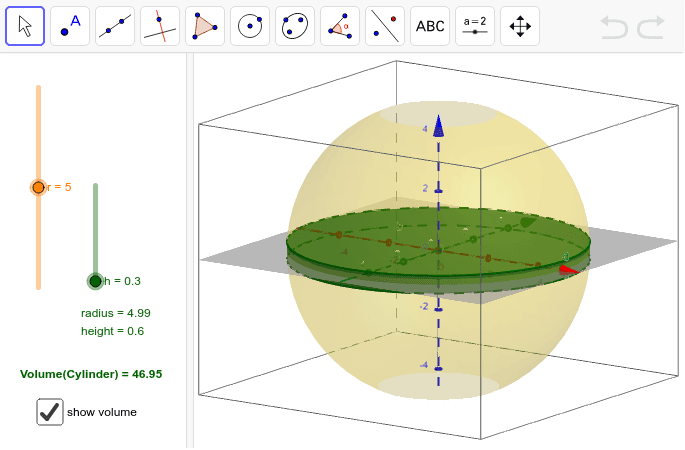
①This example demonstrates a cylinder inscribed in a sphere, where the height can be adjusted to observe how the volume changesched, aiming to find the height that maximizes the volume.②Core mathematical concepts include solid geometry of inscribed solids, the cylinder volume formula V=πr²h, and optimization via function extrema (using derivatives or quadratic analysis).③Construction: Based on the summary, the GeoGebra command 'Cylinder' is used to create the cylinder, with variables r (radius), h (height), and auxiliary objects a, d, e, b, c likely controlling the sphere radius and cylinder dimensions. Text objects text1 and text2 display values, and function f represents volume as a function of height.④Suitable for high school pre-calculus or introductory calculus, this interactive model helps students visualize optimization problems and connects geometric intuition with algebraic reasoning.
GeoGebra Commands & Parameters
Cylinder((0, 0, h), (0, 0, (-h)), sqrt(r^(2) - h^(2))) → a, d, e, b
AI Drawing Prompt Reference
Draw a sphere with a cylinder inscribed inside it. The cylinder's top and bottom faces are parallel, with their centers aligned vertically through the sphere's center. The cylinder's height is adjustable, and its radius is determined so that the circular edges of its top and bottom faces lie exactly on the sphere's surface. Include a slider to change the cylinder's height, and display the current height, radius, and volume values. Also plot a curve showing how the volume changes with height, to help identify the height that maximizes the volume.
The prompt above was compiled from the original drawing commands and is for reference only.