
Cylinder Construction by blakemasson
Loading the math board and drawing, please wait…
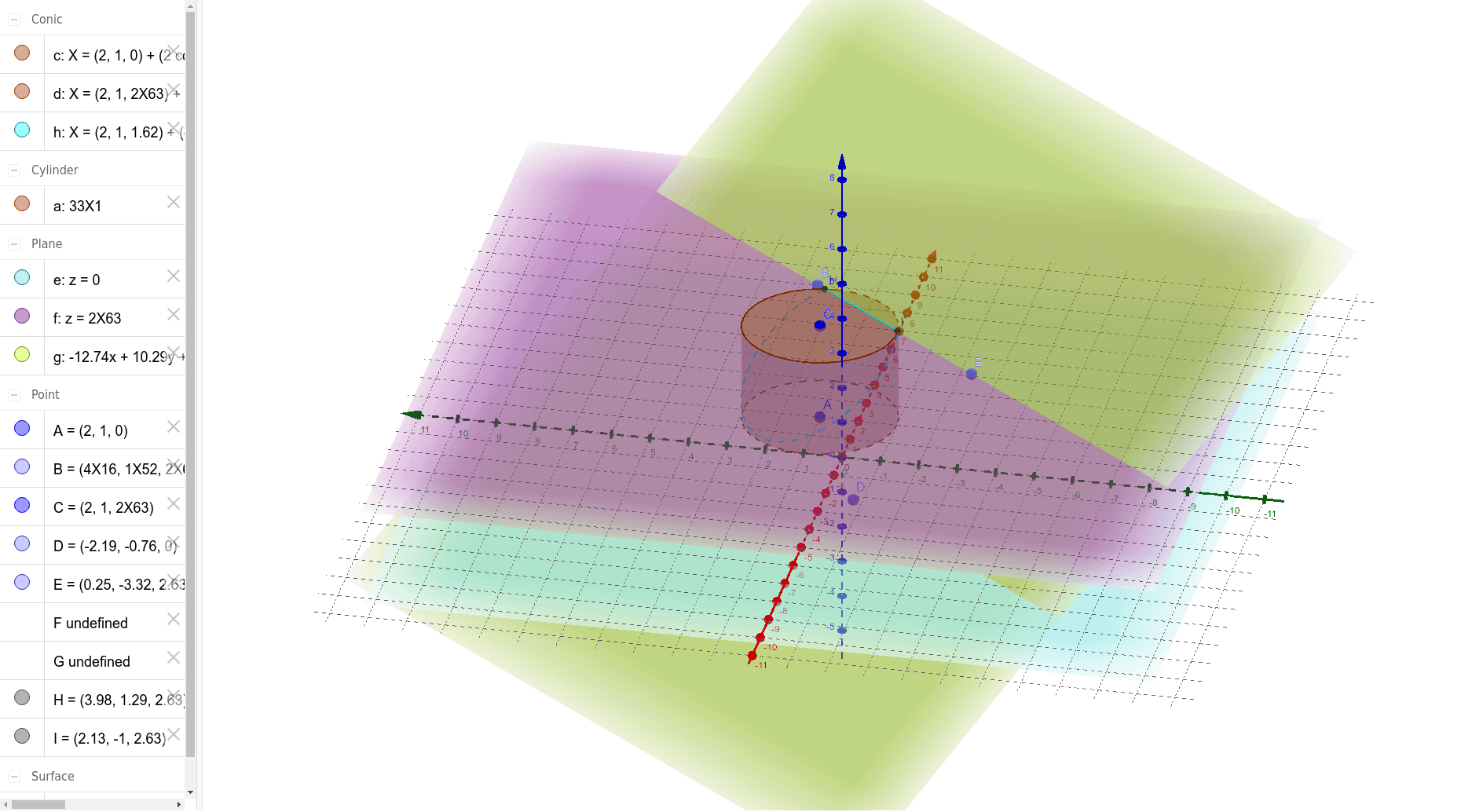
This example demonstrates how to construct a cylinder and its related elements using GeoGebra. Core math concepts include solid geometry, integral calculus, and rotation. Key GeoGebra commands and objects used in the construction are Cylinder, Plane, PointIn, IntersectPath, and Corner. Suitable for high school and above students studying solid geometry, calculus, and geometric constructions.
GeoGebra Commands & Parameters
Cylinder(A, C, 2) → a, c, d, bPlane(c) → ePlane(d) → fPointIn(f) → BPointIn(e) → DPointIn(f) → EPlane(B, D, E) → gIntersectPath(g, a) → hCorner(h) → F, G, H, I
AI Drawing Prompt Reference
Draw a cylinder showing its lateral surface and top and bottom faces. Start by sketching the circular bases, then generate the solid of revolution from the lateral surface. Select points on the lateral surface and one of the bases, use these points to construct a plane. The intersection of this plane with the lateral surface yields a curve, from which extract the corner points.
The prompt above was compiled from the original drawing commands and is for reference only.