
Curve Sequence vs Surface
Loading the math board and drawing, please wait…
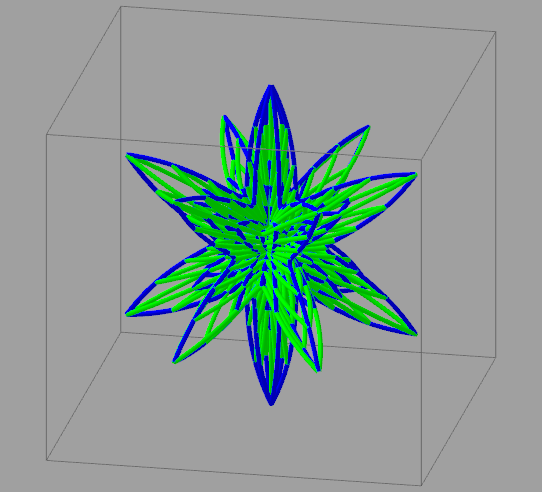
This example demonstrates the relationship between curve sequences and surfaces. It involves concepts from coordinate geometry, specifically curves and surfaces. By using the GeoGebra command Sequence to generate a series of curves, observe how they form a surface. The construction summary mentions Sequence, objects: a, n, f, eu, ev, ns, liste1, liste2, c, d, e, g, h, sc, Bouton1, Bouton2. Suitable for high school mathematics education and learning.
GeoGebra Commands & Parameters
Sequence(CurveCartesian[(((f(v + π / 2) * f(u)) * cos(v)) * cos(u)), (((f(v + π / 2) * f(u)) * cos(v)) * sin(u)), ((f(v + π / 2) * f(u)) * sin(v)), u, 0, eu], v, -1.5708, ev, (ev + π / 2) / ns) → liste1Sequence(CurveCartesian[(((f(v + π / 2) * f(u)) * cos(v)) * cos(u)), (((f(v + π / 2) * f(u)) * cos(v)) * sin(u)), ((f(v + π / 2) * f(u)) * sin(v)), v, -1.5707963267948966, ev], u, 0, eu, eu / ns) → liste2
AI Drawing Prompt Reference
Draw a surface formed by a sequence of curves. The curves are defined by parametric equations with parameters u and v. The curves vary continuously in the u and v directions to form a three-dimensional surface. Key objects include the curve sequence and the surface itself. The construction order is from curve generation to surface formation.
The prompt above was compiled from the original drawing commands and is for reference only.