
Cupcake Comparison
Loading the math board and drawing, please wait…
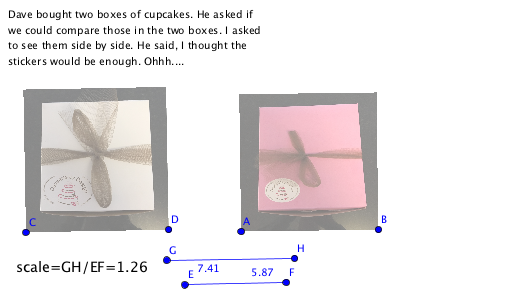
This example demonstrates how to compare the number of cupcakes in two boxes using geometric construction, involving core mathematical concepts such as area calculation, dilation transformation, and algebraic comparison. Key construction points include using the GeoGebra Segment command to draw line segments, adding point objects (e.g., A, B, C, D) to define geometry, incorporating image objects (pic1, pic2) to visualize boxes and cupcakes, and text objects (text1, text2) for labeling quantities, possibly with function objects (f, g) for difference calculations. It is suitable for middle or high school math education to enhance geometric intuition and algebraic skills.
GeoGebra Commands & Parameters
Segment(E, F) → fSegment(G, H) → g
AI Drawing Prompt Reference
Draw two rectangular boxes with different numbers of cupcakes inside, connect the diagonals of each box with line segments, and label the lengths of the segments to compare the quantities, demonstrating the concept of area calculation and geometric transformation.
The prompt above was compiled from the original drawing commands and is for reference only.