
Cuboid Volume Explorer: Decompose into Unit Cubes and Verify the Formula
Loading the math board and drawing, please wait…
In collections
Quader und Würfel - Volumen
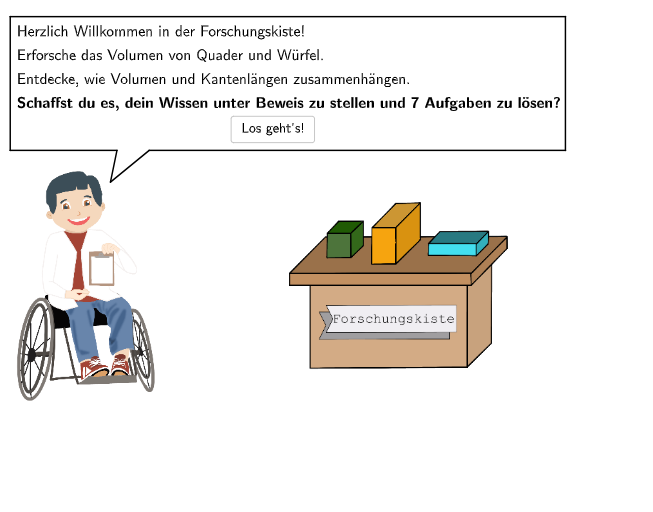
This GeoGebra example demonstrates how the volume of a cuboid can be found by decomposing it into unit cubes (counting by volume pieces) and then validating the result with the standard volume idea. The key math concepts are cuboid volume, the unit-cube decomposition/counting approach, applying and justifying the formula V = a·b·c, and examining how changing edge lengths affects related geometric quantities. Construction and interaction are driven by the provided commands and objects: Polygon, Segment to build the relevant shapes; Rotate and Shuffle to generate/transform decomposition views; lists such as listC, listA, listB, listeExVal with variables like exNum/exVal and maxExNum to manage parameters and exercise data; Textfield and dropdowns (dropdown1–dropdown5, selectedDropdown) for student input and selection; If and SelectedIndex for logic control; validate plus showanswer/showsolution and buttons (btnValidate, btnTryAgain, btnNew) for correctness checking and feedback; and SpeechBubbleLeft, showhint/hintText for guidance. Suitable for grades 5–6 and introductory solid-geometry practice where students learn volume through decomposition and formula reasoning.
GeoGebra Commands & Parameters
Join({{0}, Shuffle[Sequence[1, maxExNum, 1]]}) → listeExValIf(exVal ≟ 1 ∨ exVal ≟ 4 ∨ exVal ≟ 5, dropdown1, If[exVal ≟ 2, dropdown2, If[exVal ≟ 3, dropdown3, If[exVal ≟ 6, dropdown4, If[exVal ≟ 7, dropdown5]]]]) → selectedDropdownSelectedIndex(selectedDropdown) → studentAnswerTextfield(aInput) → InputBox1Textfield(bInput) → InputBox2Polygon(PtopLeftCornerFeedback, PtopRightCornerFeedback, PbottomRightCornerFeedback, PbottomLeftCornerFeedback) → rectangleCorrect, ptopleftcornerfeedback, ptoprightcornerfeedback, pbottomrightcornerfeedback, pbottomleftcornerfeedbackShuffle(Sequence[Random[0, 10], i, 1, 100]) → randomNosForX, {0, 1, 10, 0, 2, 3, 2, 0, 9, 1, 5, 8, 0, 6, 5, 1, 6, 4, 10, 6, 7, 0, 1, 10, 9, 2, 2, 2, 3, 10, 7, 7, 3, 6, 9, 5, 4, 1, 6, 3, 0, 9, 4, 1, 3, 10, 6, 10, 2, 5, 9, 9, 9, 9, 6, 5, 9, 1, 6, 1, 7, 2, 7, 7, 7, 2, 6, 8, 0, 8, 7, 4, 1, 6, 6, 7, 4, 10, 5, 4, 6, 0, 3, 7, 0, 1, 6, 1, 4, 10, 6, 9, 7, 7, 2, 10, 8, 8, 2, 3}Element(randomNosForX, Mod[questionCount, 100] + 1) → numXShuffle(Sequence[Random[0, 10], i, 1, 100]) → randomNosForY, {2, 6, 0, 9, 5, 6, 1, 1, 7, 8, 3, 3, 5, 7, 10, 5, 4, 2, 9, 0, 6, 10, 1, 6, 7, 6, 1, 7, 1, 7, 3, 10, 3, 2, 1, 5, 0, 6, 8, 5, 2, 8, 5, 4, 2, 2, 8, 5, 0, 5, 6, 2, 7, 3, 5, 2, 0, 4, 0, 2, 3, 3, 5, 8, 6, 3, 10, 10, 6, 9, 8, 5, 7, 6, 0, 0, 4, 3, 3, 8, 7, 9, 10, 2, 7, 8, 3, 7, 6, 1, 1, 0, 4, 7, 10, 6, 0, 7, 6, 6}Element(randomNosForY, Mod[questionCount, 100] + 1) → numYSegment(P5, P6) → fSegment(P6, P7) → gSegment(P7, P8) → hSegment(P8, P9) → iSegment(P9, P10) → jSegment(P10, P11) → kSegment(P11, P5) → lRotate(B + ((sliderB_1 * verzerrung), 0), winkel, B) → CRotate(A + ((sliderB_1 * verzerrung), 0), winkel, A) → DRotate(F + ((sliderB_1 * verzerrung), 0), winkel, F) → GRotate(E + ((sliderB_1 * verzerrung), 0), winkel, E) → HSegment(A, B) → mSegment(B, F) → nSegment(F, G) → pSegment(G, H) → qSegment(H, E) → rSegment(E, A) → sSegment(A, D) → tSegment(D, C) → aSegment(C, B) → bSegment(C, G) → cSegment(F, E) → dSegment(H, D) → eRotate(B_1 + ((sliderB * verzerrung), 0), winkel, B_1) → C_1Rotate(A_1 + ((sliderB * verzerrung), 0), winkel, A_1) → D_1Rotate(F_1 + ((sliderB * verzerrung), 0), winkel, F_1) → G_1Rotate(E_1 + ((sliderB * verzerrung), 0), winkel, E_1) → H_1Segment(A_1, B_1) → f_1Segment(B_1, C_1) → g_1Segment(C_1, G_1) → h_1Segment(F_1, G_1) → i_1Segment(F_1, E_1) → j_1Segment(E_1, A_1) → k_1Segment(A_1, D_1) → l_1Segment(H_1, G_1) → m_1Segment(E_1, H_1) → n_1Segment(D_1, C_1) → p_1Segment(H_1, D_1) → q_1Segment(B_1, F_1) → r_1Polygon(A_1 - (0.3, 0.6), (x(C_1) + 1.7, y(A_1 - 0.6)), (x(C_1) + 1.7, y(G_1) + 0.3), (x(A_1) - 0.3, y(G_1) + 0.3)) → q1, s_1, t_1, a_1, b_1SpeechBubbleLeft(O + (0.6, -0.5), 8, 2.5) → poly1SpeechBubbleLeft(O + (0.4, -0.3), 8, 2.5) → poly2
AI Drawing Prompt Reference
Draw a cuboid volume explorer, containing a cuboid that can be decomposed into unit cubes, and verify its volume formula. The cuboid's edge lengths are input by the user, with four input boxes for the edge lengths. The user can explore the cuboid's volume by rotating and generating random unit cubes.
The prompt above was compiled from the original drawing commands and is for reference only.