
Cuboid Perspective
Loading the math board and drawing, please wait…
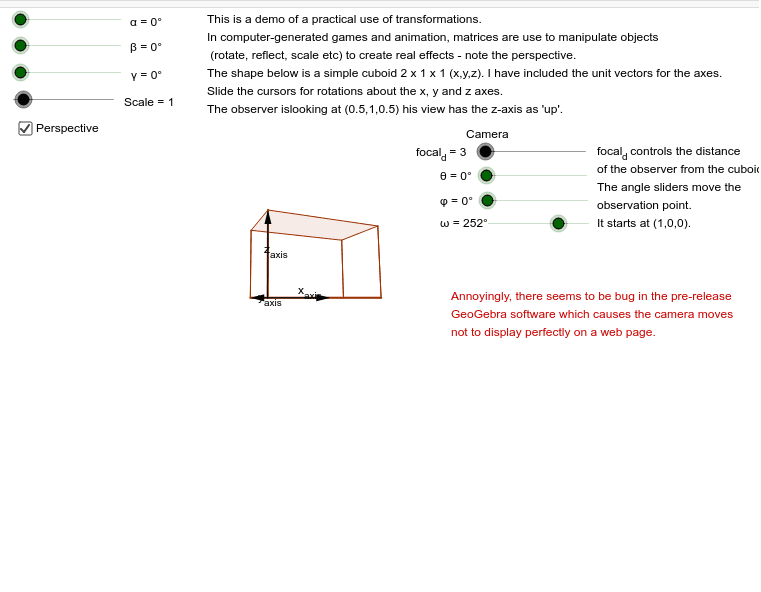
This example demonstrates the perspective view of a cuboid. It involves core concepts of solid and coordinate geometry. Using GeoGebra commands such as affUnitVec, affCross, and affDot, the perspective view of a cuboid can be constructed. Suitable for high school or university-level solid geometry studies.
GeoGebra Commands & Parameters
affUnitVec(N) → naffCross(Up, n) → LaffUnitVec(L) → laffDot(l, Observer) → dot_{lo}affCross(n, l) → maffDot(n, Observer) → dot_{no}affDot(m, Observer) → dot_{mo}Sequence((Element[Element[Bases_T, 1], k] / Element[Element[Bases_T, 4], k], Element[Element[Bases_T, 2], k] / Element[Element[Bases_T, 4], k]), k, 1, Length[Element[Bases_T, 1]]) → Bases_LSequence((Element[Element[IMG, 1], k] / Element[Element[IMG, 4], k], Element[Element[IMG, 2], k] / Element[Element[IMG, 4], k]), k, 1, Length[Element[IMG, 1]]) → IMG_{L}Polygon(Element[IMG_{L}, 1], Element[IMG_{L}, 2], Element[IMG_{L}, 11], Element[IMG_{L}, 12], Element[IMG_{L}, 13], Element[IMG_{L}, 14], Element[IMG_{L}, 15], Element[IMG_{L}, 16], Element[IMG_{L}, 3], Element[IMG_{L}, 4], Element[IMG_{L}, 5], Element[IMG_{L}, 6], Element[IMG_{L}, 7], Element[IMG_{L}, 8], Element[IMG_{L}, 9], Element[IMG_{L}, 10]) → IMG_{P}, a, j, k, p, q, r, t, a_1, b, c, d, e, f, g, h, iVector(Element[Bases_L, 1], Element[Bases_L, 2]) → x_{axis}Vector(Element[Bases_L, 1], Element[Bases_L, 3]) → y_{axis}Vector(Element[Bases_L, 1], Element[Bases_L, 4]) → z_{axis}