
Cuboid Net by user6110
Loading the math board and drawing, please wait…
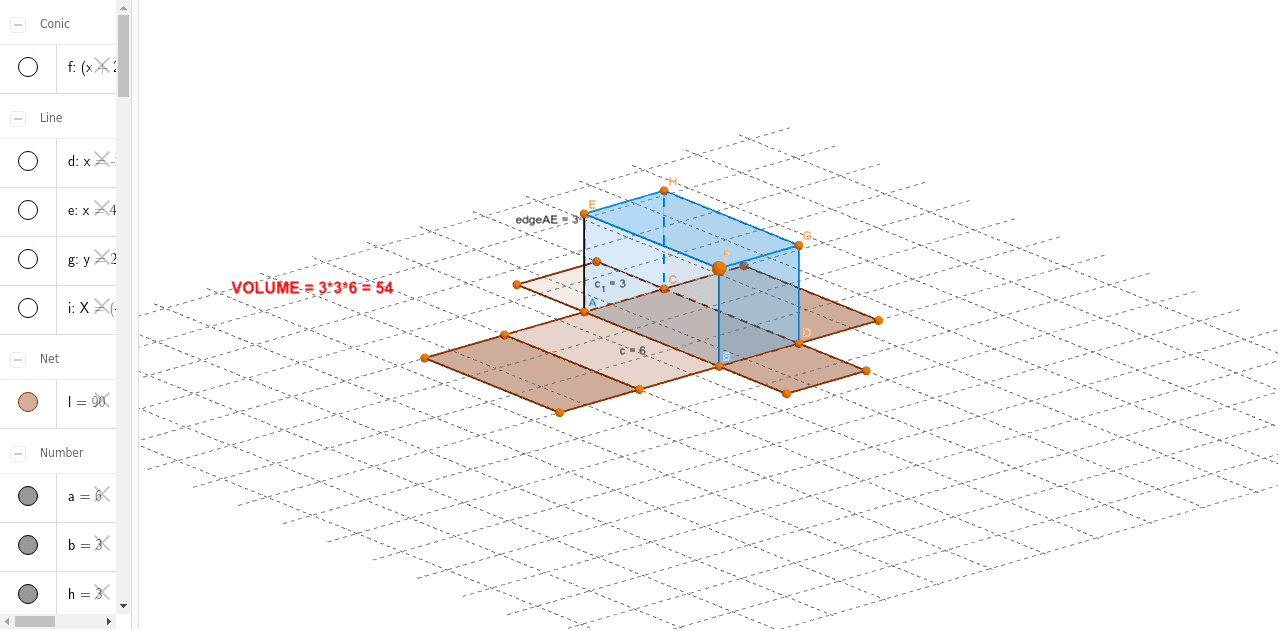
This example demonstrates the net of a cuboid. Key mathematical concepts include the geometry of a cuboid and its net. Using GeoGebra commands such as Point, Segment, Polygon, etc., the net of a cuboid can be constructed. Suitable for students at the junior high school level and above.
GeoGebra Commands & Parameters
Point(Circle[A, a]) → BSegment(A, B) → cOrthogonalLine(A, c) → dOrthogonalLine(B, c) → eCircle(A, b) → fIntersect(f, d, 2) → COrthogonalLine(C, d) → gIntersect(e, g) → DPolygon(A, B, D, C) → poly1, a_1, b_1, d_1, c_1OrthogonalLine(A, xOyPlane) → iPrism(poly1, E) → j, F, edgeBF, edgeDG, edgeCH, edgeEF, edgeFG, edgeGH, edgeEH, G, H, faceABFE, faceBDGF, faceCDGH, faceACHE, faceEFGH, edgeAENet(j, k) → l, I, R, S, T, U, V, faceIJKL, faceIJNM, faceJKPO, faceKLRQ, faceILST, J, faceMNUV, edgeIJ, edgeJK, edgeKL, edgeIL, edgeIM, edgeMN, edgeJN, edgeJO, edgeOP, K, edgeKP, edgeKQ, edgeQR, edgeLR, edgeLS, edgeST, edgeIT, edgeNU, edgeUV, edgeMV, L, M, N, O, P, Q
AI Drawing Prompt Reference
Draw the net of a cuboid. Start with a rectangle as the base, with adjacent sides representing the length and width of the cuboid. From each vertex of this base, draw perpendicular segments upward to form the four vertical edges, then connect their top endpoints to create the side rectangles. Add a congruent rectangle above the base as the top face, parallel to the base, with corresponding vertices connected. Finally, unfold the cuboid along some edges so that all six faces lie flat in one plane, forming a connected arrangement of six rectangles sharing edges.
The prompt above was compiled from the original drawing commands and is for reference only.