
Cubo AR Exploration: Building a Cube Net
Loading the math board and drawing, please wait…
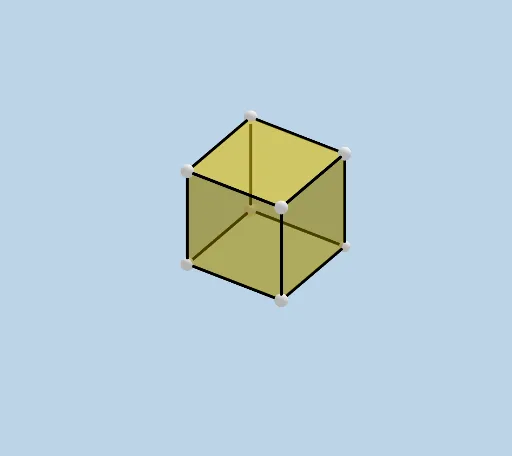
This example demonstrates how to construct and explore a cube net—unfolding the cube’s faces into a planar layout—and then use it within a GeoGebra AR template for spatial geometry exploration. It centers on solid geometry concepts (cube face/edge topology), geometric construction (creating points, intersecting entities, and assembling face and edge objects), and supporting math modules commonly found in the template such as vectors 2D, complex numbers, and piecewise functions for structuring the geometry workflow; it also includes placeholders for additional calculus-related objects like indefinite integrals. From the construction summary, the workflow uses GeoGebra commands Intersect, Point, Cube, and Net to generate key vertices (A, B, C, D, E, F, G, H and related points) and then defines face objects such as faceABCD, faceADHE, faceABFE, faceBCGF, faceCDHG, and faceEFGH, along with edge objects like edgeAB, edgeAD, edgeBC, edgeCD, edgeAE, edgeDH, edgeEH, edgeEF, edgeBF, edgeFG, edgeCG, and edgeGH. Finally, CreateNet is used to generate the unfolded cube net. Suitable for middle/high school solid-geometry lessons, AR-enabled math demonstrations, and for learners practicing GeoGebra template-based construction.
GeoGebra Commands & Parameters
Intersect(zAxis, xAxis) → APoint(xAxis) → BPoint(Circle[B, Distance[A, B], Segment[A, B]]) → CCube(A, B, C) → a, D, faceCDHG, faceEFGH, edgeAD, edgeAB, edgeBC, edgeCD, edgeAE, edgeDH, edgeEH, edgeEF, E, edgeBF, edgeFG, edgeCG, edgeGH, F, G, H, faceABCD, faceADHE, faceABFE, faceBCGFNet(a, CreateNet) → c, I, R, S, T, U, V, faceIJKL, faceILNM, faceIJRQ, faceJKTS, faceKLVU, J, faceMNOP, edgeIL, edgeIJ, edgeJK, edgeKL, edgeLN, edgeMN, edgeIM, edgeIQ, edgeQR, K, edgeJR, edgeJS, edgeST, edgeKT, edgeKU, edgeUV, edgeLV, edgeNO, edgeOP, edgeMP, L, M, N, O, P, Q
AI Drawing Prompt Reference
Draw an unfolded cube net by first sketching three adjacent faces of the cube and then connecting their common edges to form the layout. Each face of the cube is a square, and the net consists of six squares arranged in a cross shape. Begin by drawing three square faces of the cube, connect their shared edges, and finally unfold these three square faces into a flat geometric pattern.
The prompt above was compiled from the original drawing commands and is for reference only.