
Cubic Volume Calculation
Loading the math board and drawing, please wait…
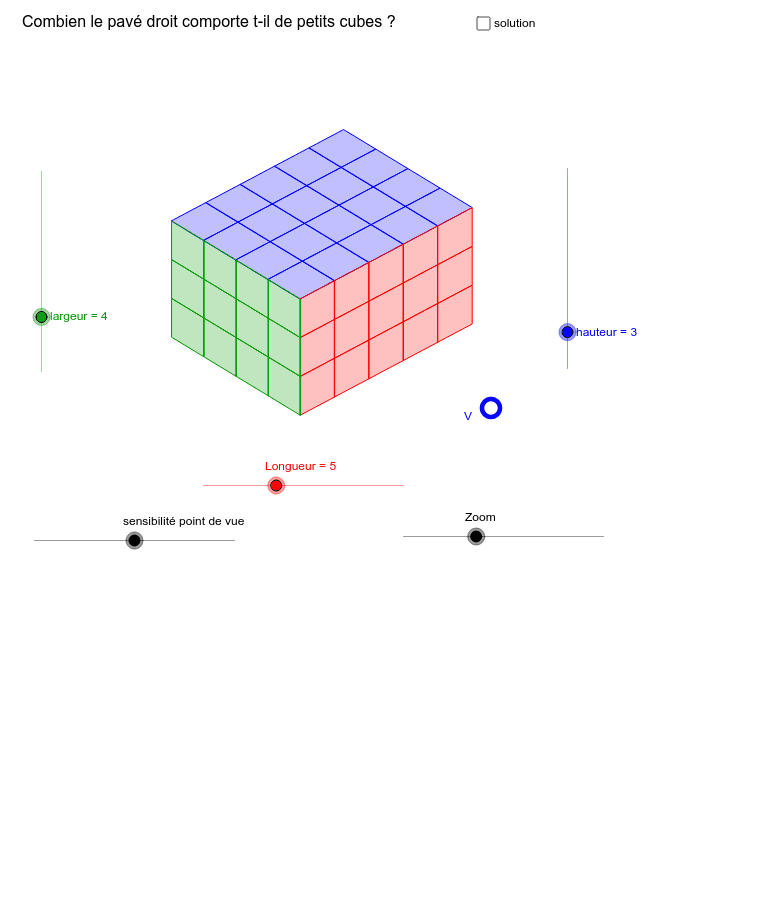
This example demonstrates the calculation and visualization of cubic volume. It involves core mathematical concepts such as volume formulas, similar triangles, circumcircle, and hypergeometric distribution. The construction utilizes GeoGebra commands like Sequence and If, along with objects like hauteur (height), largeur (width), Longueur (length), and V (volume). Suitable for high school students and educators for teaching demonstrations and concept understanding.
GeoGebra Commands & Parameters
Sequence(Sequence[Sequence[((i / m * kxx) + (j / m * kyx), (i / m * kxy) + (j / m * kyy) + (k / m * kzy)), i, ((-Longueur)) / 2, Longueur / 2], j, ((-largeur)) / 2, largeur / 2], k, ((-hauteur)) / 2, hauteur / 2) → PIf(y(V) > 0, 1, hauteur + 1) → ckSequence(Sequence[Polygon[Element[P, ck, j, i], Element[P, ck, j, i + 1], Element[P, ck, j + 1, i + 1], Element[P, ck, j + 1, i]], i, 1, Longueur], j, 1, largeur) → polyxy'If((-kv) < x(V) < kv, 1, largeur + 1) → cjSequence(Sequence[Polygon[Element[P, k, cj, i], Element[P, k, cj, i + 1], Element[P, k + 1, cj, i + 1], Element[P, k + 1, cj, i]], i, 1, Longueur], k, 1, hauteur) → polyxz'If(x(V) > 0, 1, Longueur + 1) → ciSequence(Sequence[Polygon[Element[P, k, j, ci], Element[P, k, j + 1, ci], Element[P, k + 1, j + 1, ci], Element[P, k + 1, j, ci]], j, 1, largeur], k, 1, hauteur) → polyyz'
AI Drawing Prompt Reference
Draw a cube to demonstrate cubic volume calculation. The cube consists of multiple faces, each being a quadrilateral. First, create grid lines on the bottom and top faces, then connect corresponding vertices to form the faces. Next, calculate and visualize the volume of the cube using a formula. Finally, connect the bottom and top faces to complete the cube.
The prompt above was compiled from the original drawing commands and is for reference only.