
Cube Net by Emma Clifton
Loading the math board and drawing, please wait…
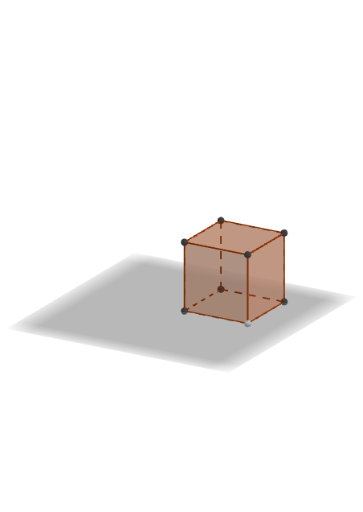
This example demonstrates the net of a cube. It involves basic concepts in solid geometry. Using GeoGebra commands such as Intersect, Point, Cube, and Net, the various faces and edges of the cube can be constructed. Suitable for students at the junior high school level and above.
GeoGebra Commands & Parameters
Intersect(xAxis, zAxis) → APoint(xAxis) → BPoint(Circle[B, Distance[A, B], Segment[A, B]]) → CCube(A, B, C) → a, D, faceCDHG, faceEFGH, edgeAD, edgeAB, edgeBC, edgeCD, edgeAE, edgeDH, edgeEH, edgeEF, E, edgeBF, edgeFG, edgeCG, edgeGH, F, G, H, faceABCD, faceADHE, faceABFE, faceBCGFNet(a, b) → c, I, R, S, T, U, V, faceIJKL, faceILNM, faceIJRQ, faceJKTS, faceKLVU, J, faceMNOP, edgeIL, edgeIJ, edgeJK, edgeKL, edgeLN, edgeMN, edgeIM, edgeIQ, edgeQR, K, edgeJR, edgeJS, edgeST, edgeKT, edgeKU, edgeUV, edgeLV, edgeNO, edgeOP, edgeMP, L, M, N, O, P, Q
AI Drawing Prompt Reference
Draw a net of a cube, including six square faces and their edges. Start by drawing two coordinate axes, then use their intersection and distance to construct a square. Next, build a cube using the vertices of this square as starting points. Finally, unfold the cube to obtain its net.
The prompt above was compiled from the original drawing commands and is for reference only.