
Cross Sections of Regular Prisms
Loading the math board and drawing, please wait…
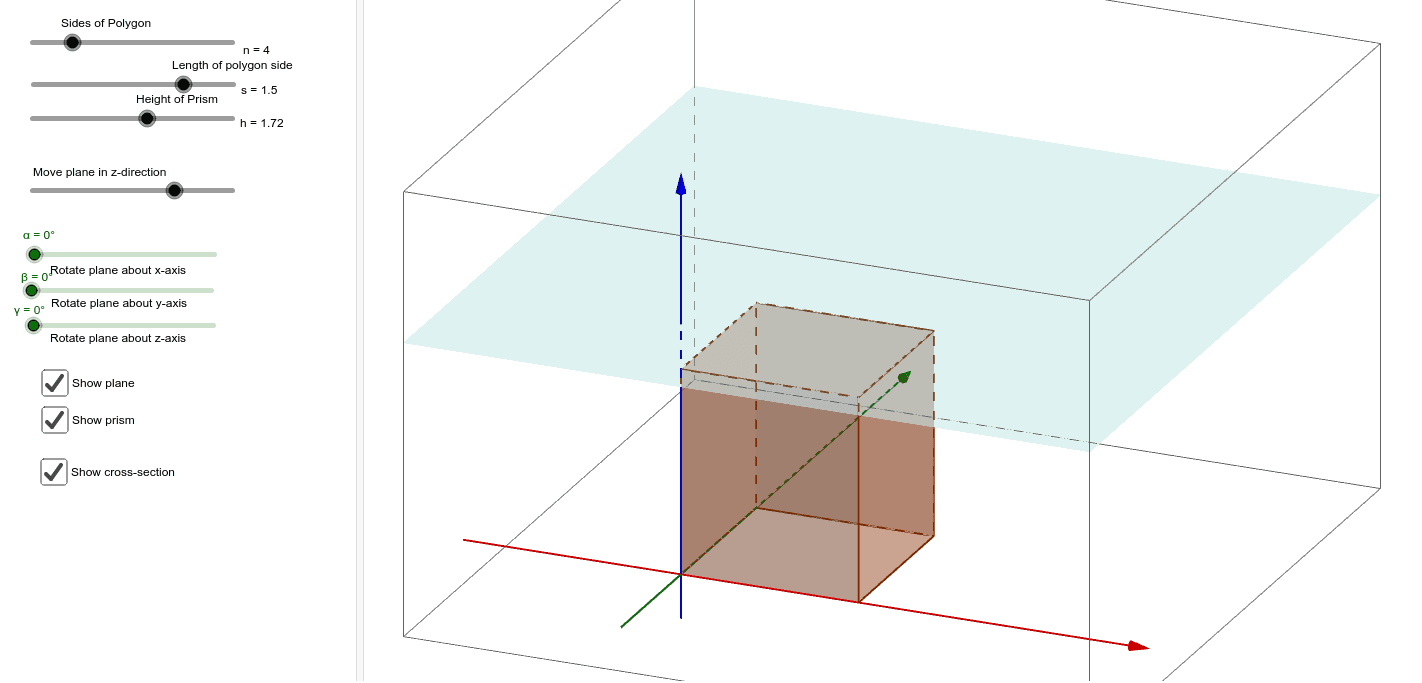
This GeoGebra example dynamically demonstrates the cross sections formed when a regular prism is intersected by a plane, providing an intuitive visualization of how a plane cuts through a polyhedron. The core mathematical concepts include the structure of prisms, generation of cross-section polygons, intersection of spatial planes with solid figures, and observing how the shape of the cross section changes as the cutting plane is rotated or translated. Construction highlights: the Prism command builds the regular prism, a Plane defines the cutting plane, IntersectPath computes the intersection lines between the plane and prism faces, while Rotate and Translate adjust the plane's position. Key objects include points, segments, polygons, and the prism's faces. This resource is suitable for high school or early college students studying solid geometry, and serves as an effective teaching tool for enhancing spatial reasoning and understanding of cross-sectional properties.
GeoGebra Commands & Parameters
Intersect(xAxis, yAxis) → APoint(Circle[A, b]) → BSegment(A, B) → cPolygon(A, B, a) → poly1, d, D, E, F, G, H, e, f, g, h, i, j, k, CPrism(poly1, l) → m, I, faceBCKJ, faceCDLK, faceDEML, faceEFNM, faceFGON, faceAGOI, face1, faceIJKLMNO, edgeAI, edgeBJ, J, edgeCK, edgeDL, edgeEM, edgeFN, edgeGO, edge1, edgeIJ, edgeJK, edgeKL, edgeLM, K, edgeMN, edgeNO, edgeIO, edge2, L, M, N, O, S, faceABJILine(P, yAxis) → pLine(P, xAxis) → qPoint(p) → QPoint(q) → RRotate(R, α, p) → R'Rotate(Q, (-β), q) → Q'Plane(P, Q', R') → nIntersectPath(n, m) → poly2, T, s, t, a_1, b_1, c_1, d_1, e_1, U, V, W, Z, A_1, B_1, C_1, rRotate(n, γ, zAxis) → i_1Translate(i_1, Vector[(0, 0, 0), (w, 0, 0)]) → f_1IntersectPath(f_1, m) → poly3, D_1, E_1, F_1, G_1, g_1, h_1, j_1, k_1